# Friflo.Engine.ECS
**Repository Path**: WayneHalak/Friflo.Engine.ECS
## Basic Information
- **Project Name**: Friflo.Engine.ECS
- **Description**: No description available
- **Primary Language**: Unknown
- **License**: MIT
- **Default Branch**: main
- **Homepage**: None
- **GVP Project**: No
## Statistics
- **Stars**: 0
- **Forks**: 0
- **Created**: 2025-04-16
- **Last Updated**: 2025-08-25
## Categories & Tags
**Categories**: Uncategorized
**Tags**: None
## README
[](https://github.com/friflo/Friflo.Engine.ECS) 
[](https://www.nuget.org/packages/Friflo.Engine.ECS)
[](https://app.codecov.io/gh/friflo/Friflo.Engine.ECS/tree/main/src/ECS)
[](https://github.com/friflo/Friflo.Engine.ECS/actions/workflows/engine.yml)
[](https://github.com/friflo/Friflo.Engine.ECS-Demos)
[](https://github.com/friflo/Friflo.Engine-docs)
[](https://discord.gg/nFfrhgQkb8)
[](https://friflo.gitbook.io/friflo.engine.ecs)
# Friflo.Engine.ECS
***The ECS for finishers 🏁***
Leading performance in most ECS aspects.
Performance Ratio - see [C# ECS Benchmark](https://github.com/friflo/ECS.CSharp.Benchmark-common-use-cases)
| | friflo | Flecs.NET | TinyEcs | Arch | fennecs | Leopotam | DefaultEcs | Morpeh |
| ------- | ----------:| ----------:| ----------:| ----------:| ----------:| ----------:| ----------:| ----------:|
| *Ratio* | 1.00 | 2.55 | 3.42 | 6.96 | 19.02 | 2.57 | 3.81 | 21.09 |
| *Notes* | | | | | | [^sparse] | [^sparse] | [^sparse] |
[^sparse]: Sparse Set based ECS projects.
## News
- [x]  features in v3.0.0
Introduced: **Index / Search** with O(1), **Relationships** 1:1 and 1:many and **Relations**. See [New features in 3.0.0](#new-features-in-300)
- [x] Published [Friflo.Engine.ECS.Boost](https://www.nuget.org/packages/Friflo.Engine.ECS.Boost) to enable
[boosted queries](https://friflo.gitbook.io/friflo.engine.ecs/documentation/query-optimization#boosted-query) with maximum performance.
- [x] New GitHub benchmark repository [ECS.CSharp.Benchmark - Common use-cases](https://github.com/friflo/ECS.CSharp.Benchmark-common-use-cases)
## Contents
* [🔥 Friflo.Engine.ECS](#frifloengineecs)
- [Documentation](#documentation)
- [Feature highlights](#feature-highlights)
- [Projects using friflo ECS](#projects-using-friflo-ecs)
- [Demos](#demos)
- [ECS definition](#ecs-definition)
- [New features in 3.0.0](#new-features-in-300)
* [⏩ Examples](#-examples)
- [🚀 Hello World](#-hello-world)
- [⚙️ Systems](#️-systems)
* [🏁 Benchmarks](#-ecs-benchmarks)
## Documentation
Get an overview of the feature set or explore various use-cases with examples at
[**friflo ECS · Docs**](https://friflo.gitbook.io/friflo.engine.ecs).
## Feature highlights
- [x] Simple API - no boilerplate, rock-solid 🗿 and bulletproof 🛡️
- [x] High-performance 🔥 compact ECS
- [x] Low memory footprint 👣. Create 100.000.000 entities in 1.5 sec
- [x] Zero ⦰ allocations after buffers are large enough. No struct boxing
- [x] High performant / type-safe queries ⊆
- [x] Efficient multithreaded queries ⇶
- [x] Entity component Search in O(1) ∈
- [x] Fast batch / bulk operations ⏩
- [x] Command buffers / deferred operations ⏭️
- [x] Entity relationships and relations ⌘
- [x] Entity hierarchy / tree ⪪
- [x] Fully reactive / entity events ⚡
- [x] Systems / System groups ⚙️
- [x] JSON Serialization 💿
- [x] SIMD Support 🧮
- [x] Supports .NET Standard 2.1 .NET 5 .NET 6 .NET 7 .NET 8
WASM / WebAssembly, Unity (Mono, AOT/IL2CPP, WebGL), Godot, MonoGame, ... and Native AOT
- [x] CLS Compliant API - supporting all .NET languages: C#, F#, VB.NET, ...
- [x] Debug Tools 🐞: Watch entities, components, tags, relations, query results, systems, ...
Screenshot - Watch ad-hoc query result in debugger

- [x] **100%** verifiably safe 🔒 C#. No [*unsafe code*](https://learn.microsoft.com/en-us/dotnet/csharp/language-reference/unsafe-code),
*native dll bindings* and *access violations*.
Behavior of access violation bugs using unsafe code


Get package on [nuget](https://www.nuget.org/packages/Friflo.Engine.ECS/) or use the dotnet CLI.
```
dotnet add package Friflo.Engine.ECS
```
## Projects using friflo ECS
### [Horse Runner DX](https://store.steampowered.com/app/2955320/Horse_Runner_DX)
 Quote from developer: *"Just wanted to let you know that Friflo ECS 2.0.0 works like a charm in my little game.
I use it for basically everything (landscape segments, vegetation, players, animations, collisions and even the floating dust particles are entities).
After some optimization there is no object allocation during gameplay - the allocation graph just stays flat - no garbage collection."*
## Demos
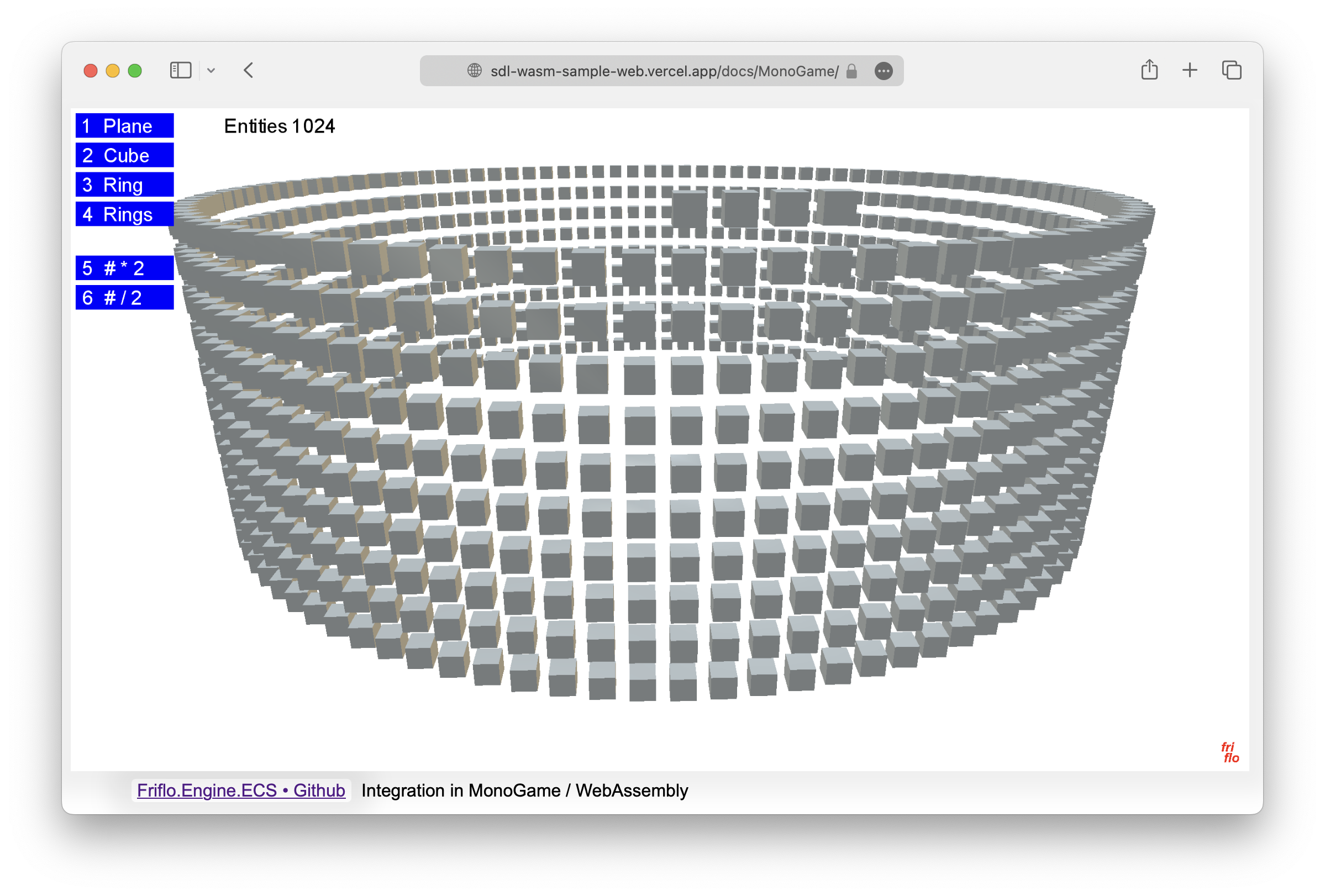
MonoGame Demo is available as WASM / WebAssembly app. [**Try Demo in your browser**](https://sdl-wasm-sample-web.vercel.app/docs/MonoGame/).
Demo projects on GitHub below.
Quote from developer: *"Just wanted to let you know that Friflo ECS 2.0.0 works like a charm in my little game.
I use it for basically everything (landscape segments, vegetation, players, animations, collisions and even the floating dust particles are entities).
After some optimization there is no object allocation during gameplay - the allocation graph just stays flat - no garbage collection."*
## Demos
MonoGame Demo is available as WASM / WebAssembly app. [**Try Demo in your browser**](https://sdl-wasm-sample-web.vercel.app/docs/MonoGame/).
Demo projects on GitHub below.
 |
 |
 |
| MonoGame |
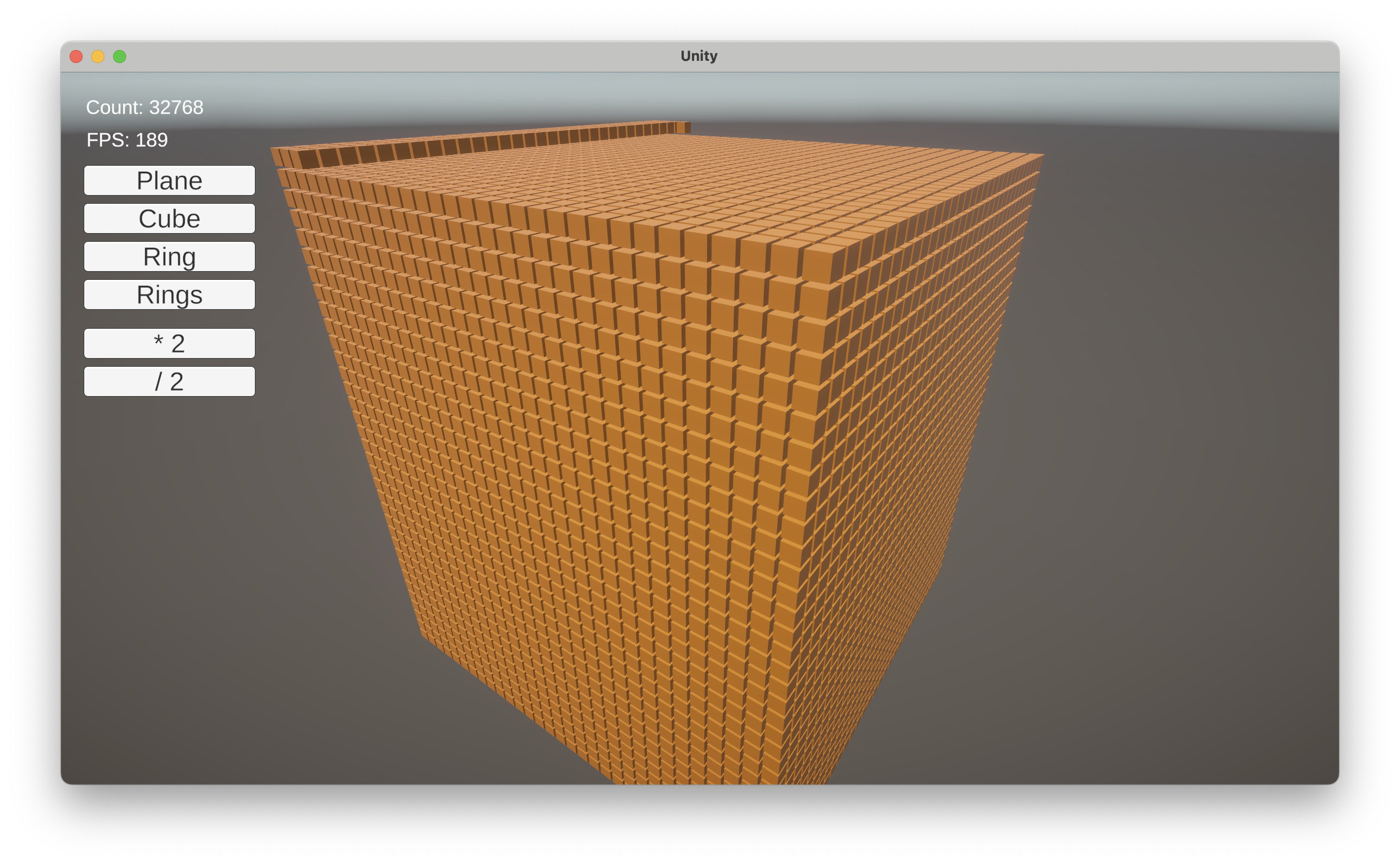
Unity |
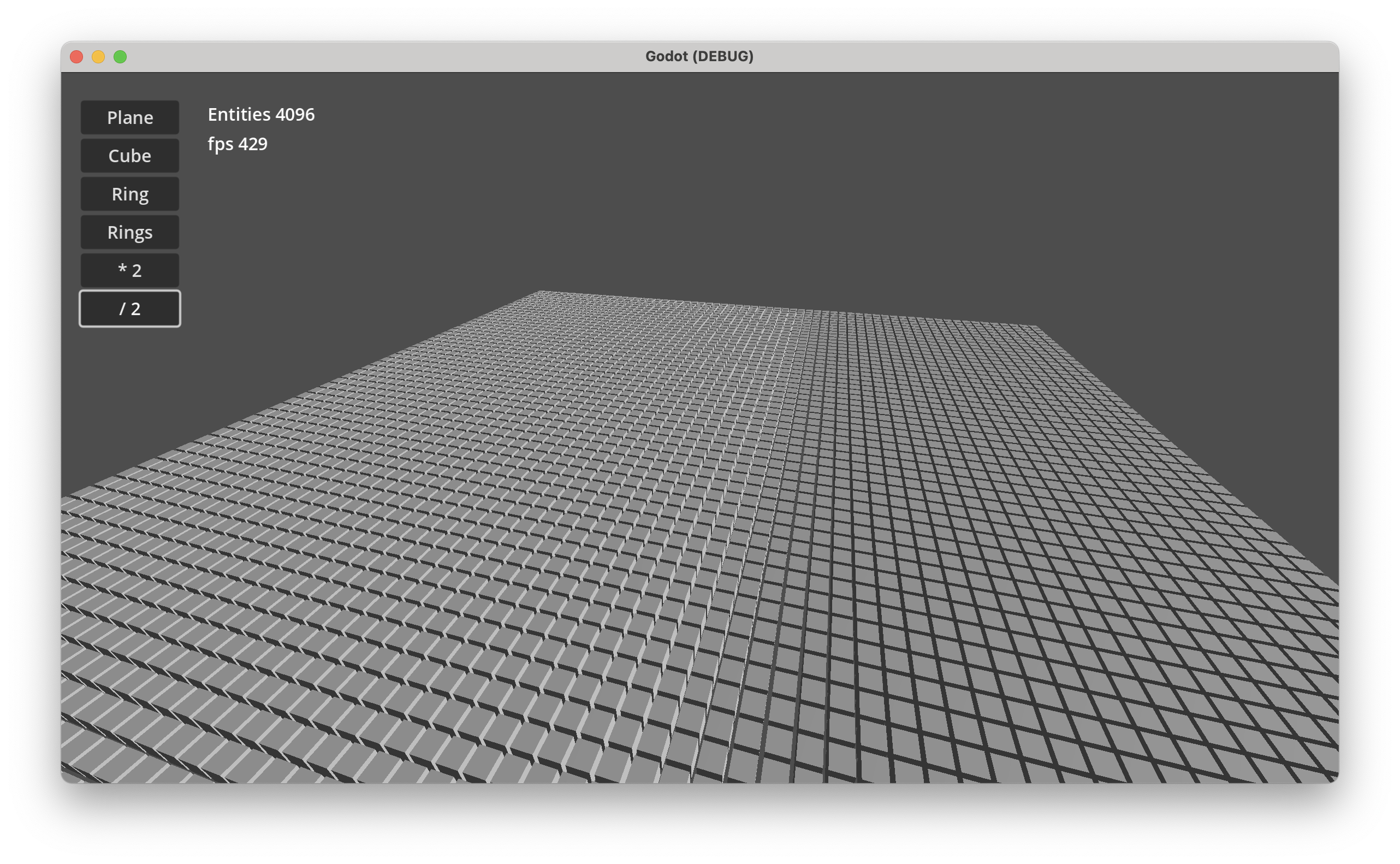
Godot |
*Desktop Demo performance:* Godot 202 FPS, Unity 100 FPS at 65536 entities.
All example Demos - **Windows**, **macOS** & **Linux** - available as projects for **MonoGame**, **Unity** and **Godot**.
See [Demos · GitHub](https://github.com/friflo/Friflo.Engine.ECS-Demos)
## ECS definition
An entity-component-system (**ECS**) is a software architecture pattern. See [ECS ⋅ Wikipedia](https://en.wikipedia.org/wiki/Entity_component_system).
It is often used in the Gaming industry - e.g. Minecraft - and used for high performant data processing.
An ECS provide two strengths:
1. It enables writing *highly decoupled code*. Data is stored in **Components** which are assigned to objects - aka **Entities** - at runtime.
Code decoupling is accomplished by dividing implementation in pure data structures (**Component types**) - and code (**Systems**) to process them.
2. It enables *high performant system execution* by storing components in continuous memory to leverage CPU caches L1, L2 & L3.
It improves CPU branch prediction by minimizing conditional branches when processing components in tight loops.
## **New features in 3.0.0**
- [Index / Search](https://friflo.gitbook.io/friflo.engine.ecs/documentation/component-index) used to search entities with specific component values in O(1). E.g
- To lookup entities having a *TileComponent* with a specific tile id.
- To lookup network entities with a *NetComponent* using a custom identifier like a `Guid`,`long` or a `string`.
- [Relationships](https://friflo.gitbook.io/friflo.engine.ecs/documentation/relationships) to create links / connections between entities. Used for:
- Attack systems
- Path finding / Route tracing
- Model social networks. E.g friendship, alliances or rivalries
- Build any type of a [directed graph](https://en.wikipedia.org/wiki/Directed_graph)
using entities as *nodes* and links or relations as *edges*
- [Relations](https://friflo.gitbook.io/friflo.engine.ecs/documentation/relations) to add multiple *"components"* of the same type to a single entity. E.g.
- Inventory systems
- To model one-to-many data structures
Big shout out to [**fenn**ecs](https://github.com/outfox/fennecs) and [**flecs**](https://github.com/SanderMertens/flecs)
for the challenge to improve the feature set and performance of this project!
# ⏩ Examples
This section contains two typical use cases when using an ECS.
More examples describing use of various features are in the [friflo ECS - Documentation](https://friflo.gitbook.io/friflo.engine.ecs).
## **🚀 Hello World**
The hello world examples demonstrates the creation of a world, some entities with components
and their movement using a simple `ForEachEntity()` call.
```csharp
public struct Velocity : IComponent { public Vector3 value; }
public static void HelloWorld()
{
var world = new EntityStore();
for (int n = 0; n < 10; n++) {
world.CreateEntity(new Position(n, 0, 0), new Velocity{ value = new Vector3(0, n, 0)});
}
var query = world.Query();
query.ForEachEntity((ref Position position, ref Velocity velocity, Entity entity) => {
position.value += velocity.value;
});
}
```
In case of moving (updating) thousands or millions of entities an optimized approach can be used.
See:
[Enumerate Query Chunks](https://friflo.gitbook.io/friflo.engine.ecs/documentation/query-optimization#enumerate-query-chunks),
[Parallel Query Job](https://friflo.gitbook.io/friflo.engine.ecs/documentation/query-optimization#parallel-query-job) and
[Query Vectorization - SIMD](https://friflo.gitbook.io/friflo.engine.ecs/documentation/query-optimization#query-vectorization-simd).
All query optimizations are using the same `query` but with different enumeration techniques.
## **⚙️ Systems**
Systems are new in **Friflo.Engine.ECS v2.0.0**
Systems in ECS are typically queries.
So you can still use the `world.Query()` shown in the "Hello World" example.
Using Systems is optional but they have some significant advantages.
**System features**
- Enable chaining multiple decoupled [QuerySystem](https://github.com/friflo/Friflo.Engine-docs/blob/main/api/QuerySystem.md) classes in a
[SystemGroup](https://github.com/friflo/Friflo.Engine-docs/blob/main/api/SystemGroup.md).
Each group provide a [CommandBuffer](https://friflo.gitbook.io/friflo.engine.ecs/documentation/query#commandbuffer).
- A system can have state - fields or properties - which can be used as parameters in `OnUpdate()`.
The system state can be serialized to JSON.
- Systems can be enabled/disabled or removed.
The order of systems in a group can be changed.
- Systems have performance monitoring build-in to measure execution times and memory allocations.
If enabled systems detected as bottleneck can be optimized.
A perf log (see example below) provide a clear overview of all systems their amount of entities and impact on performance.
- Multiple worlds can be added to a single [SystemRoot](https://github.com/friflo/Friflo.Engine-docs/blob/main/api/SystemRoot.md) instance.
`root.Update()` will execute every system on all worlds.
```csharp
public static void HelloSystem()
{
var world = new EntityStore();
for (int n = 0; n < 10; n++) {
world.CreateEntity(new Position(n, 0, 0), new Velocity(), new Scale3());
}
var root = new SystemRoot(world) {
new MoveSystem(),
// new PulseSystem(),
// new ... multiple systems can be added. The execution order still remains clear.
};
root.Update(default);
}
class MoveSystem : QuerySystem
{
protected override void OnUpdate() {
Query.ForEachEntity((ref Position position, ref Velocity velocity, Entity entity) => {
position.value += velocity.value;
});
}
}
```
A valuable strength of an ECS is establishing a clear and decoupled code structure.
Adding the `PulseSystem` below to the `SystemRoot` above is trivial.
This system uses a `foreach (var entity in Query.Entities)` as an alternative to `Query.ForEachEntity((...) => {...})`
to iterate the query result.
```csharp
struct Pulsating : ITag { }
class PulseSystem : QuerySystem
{
float frequency = 4f;
public PulseSystem() => Filter.AnyTags(Tags.Get());
protected override void OnUpdate() {
foreach (var entity in Query.Entities) {
ref var scale = ref entity.GetComponent().value;
scale = Vector3.One * (1 + 0.2f * MathF.Sin(frequency * Tick.time));
}
}
}
```
### ⏱ System monitoring
System performance monitoring is disabled by default.
To enable monitoring call:
```csharp
root.SetMonitorPerf(true);
```
When enabled system monitoring captures
- Number of system executions.
- System execution duration in ms.
- Memory heap allocations per system in bytes.
- The number of entities matching a query system.
#### Realtime monitoring
In a game editor like Unity system monitoring is available in the **ECS System Set** component.
Screenshot: ECS System Set component in Play mode

#### Log monitoring
The performance statistics available at [SystemPerf](https://github.com/friflo/Friflo.Engine-docs/blob/main/api/SystemPerf.md).
To get performance statistics on console use:
```csharp
root.Update(default);
Console.WriteLine(root.GetPerfLog());
```
The log result will look like:
```js
stores: 1 on last ms sum ms updates last mem sum mem entities
--------------------- -- -------- -------- -------- -------- -------- --------
Systems [2] + 0.076 3.322 10 128 1392
| ScaleSystem + 0.038 2.088 10 64 696 10000
| PositionSystem + 0.038 1.222 10 64 696 10000
```
```
on + enabled - disabled
last ms, sum ms last/sum system execution time in ms
updates number of executions
last mem, sum mem last/sum allocated bytes
entities number of entities matching a QuerySystem
```
# 🏁 ECS Benchmarks
## ECS.CSharp.Benchmark - Common use-cases
Created a new GitHub repository [ECS.CSharp.Benchmark - Common use-cases](https://github.com/friflo/ECS.CSharp.Benchmark-common-use-cases).
It compares the performance of multiple ECS projects with **simple** benchmarks.
So they can be used as a **guide to migrate** form one ECS to another.
See discussion of [reddit announcement Post](https://www.reddit.com/r/EntityComponentSystem/comments/1e0qo62/just_published_new_github_repo_ecs_c_benchmark/).
## ECS.CSharp.Benchmark
Performance comparison using popular **ECS C# benchmark** on GitHub.
Two benchmarks - subset of [GitHub ⋅ Ecs.CSharp.Benchmark + PR #38](https://github.com/Doraku/Ecs.CSharp.Benchmark/pull/38)
running on a Mac Mini M2.
See [Benchmark results](docs/doraku-benchmark.md).
**License**
This project is licensed under MIT.
Friflo.Engine.ECS
Copyright © 2025 Ullrich Praetz - https://github.com/friflo