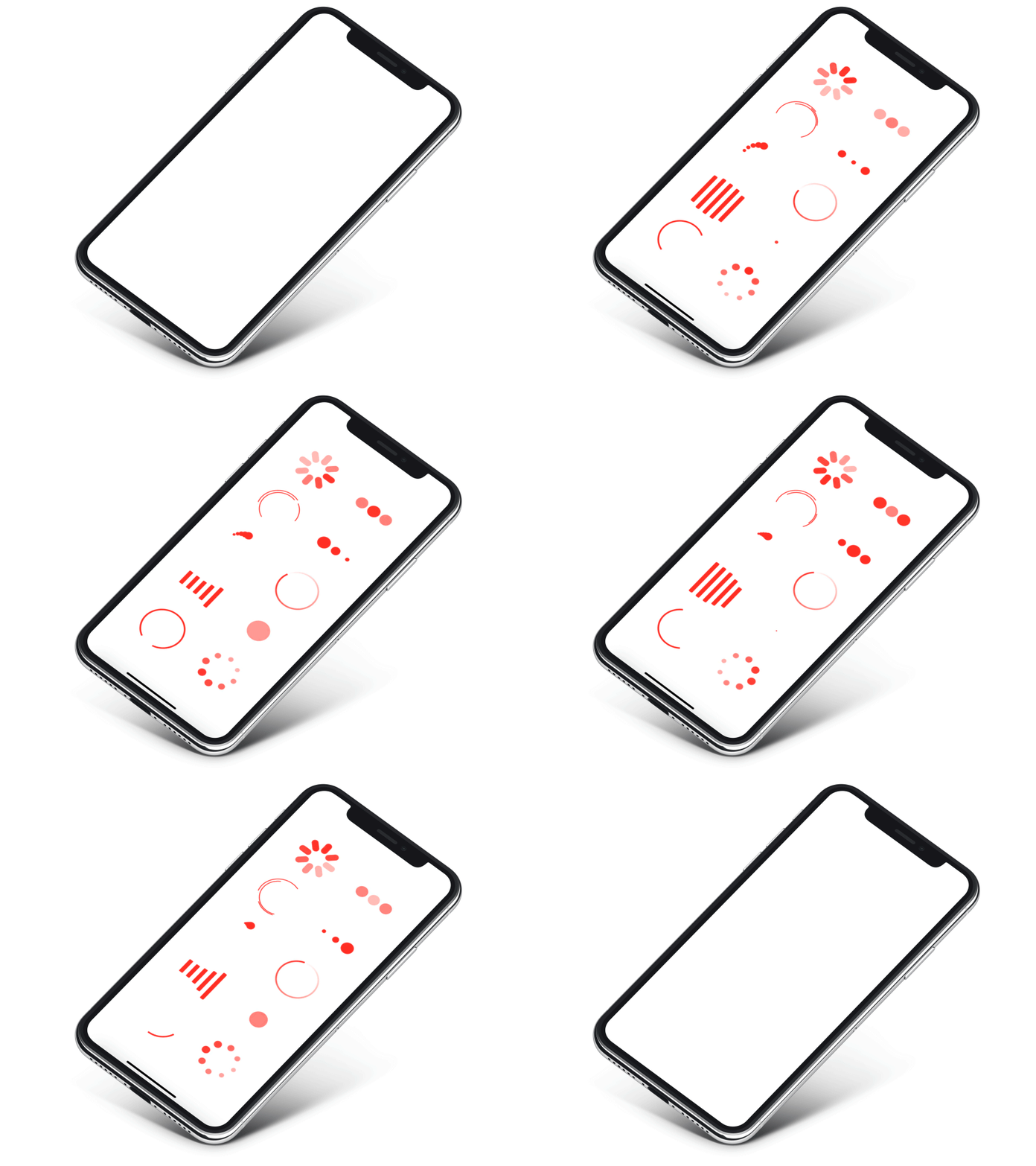
A number of preset loading indicators created with SwiftUI
[](https://swiftpackageindex.com/exyte/ActivityIndicatorView)
[](https://swiftpackageindex.com/exyte/ActivityIndicatorView)
[](https://swiftpackageindex.com/exyte/ActivityIndicatorView)
[](https://cocoapods.org/pods/ActivityIndicatorView)
[](https://github.com/Carthage/Carthage)
[](https://opensource.org/licenses/MIT)
# Usage
Create an indicator like this:
```swift
ActivityIndicatorView(isVisible: $showLoadingIndicator, type: .default)
```
where
`showLoadingIndicator` - bool value you may change to display or hide the indicator
`type` - value from `ActivityIndicatorView.IndicatorType` enum
You may alter it with standard SwiftUI means like this:
```swift
ActivityIndicatorView(isVisible: $showLoadingIndicator, type: .default)
.frame(width: 50.0, height: 50.0)
.foregroundColor(.red)
```
Or specify another indicator type:
```swift
ActivityIndicatorView(isVisible: $showLoadingIndicator, type: .growingArc(.red, lineWidth: 4))
.frame(width: 50.0, height: 50.0)
```
### Indicator types
Each indicator type has a number of parameters that have reasonable defaults. You can change them as you see fit, but it is advised to not set them too high or too low.
`default` - iOS UIActivityIndicator style
```swift
.default(count: 8)
```
`arcs`
```swift
.arcs(count: 3, lineWidth: 2)
```
`rotatingDots`
```swift
.rotatingDots(count: 5)
```
`flickeringDots`
```swift
.flickeringDots(count: 8)
```
`scalingDots`
```swift
.scalingDots(count: 3, inset: 2)
```
`opacityDots`
```swift
.opacityDots(count: 3, inset: 4)
```
`equalizer`
```swift
.equalizer(count: 5)
```
`growingArc` - add custom color for growing Arc, the default value is `Color.black`
```swift
.growingArc(.red, lineWidth: 4)
```
`growingCircle` - no parameters
`gradient` - circle with angular gradient border stroke, pass colors like this:
```swift
.gradient([.white, .red], lineWidth: 4)
```
## Examples
To try out the ActivityIndicatorView examples:
- Clone the repo `git clone git@github.com:exyte/ActivityIndicatorView.git`
- Open terminal and run `cd /Example`
- Run `pod install` to install all dependencies
- Run `xed .` to open project in the Xcode
- Try it!
## Installation
### Swift Package Manager
```swift
dependencies: [
.package(url: "https://github.com/exyte/ActivityIndicatorView.git")
]
```
### CocoaPods
```ruby
pod 'ActivityIndicatorView'
```
### Carthage
```ogdl
github "Exyte/ActivityIndicatorView"
```
## Requirements
* iOS 13+ / watchOS 6+ / tvOS 13+ / macOS 10.15+
* Xcode 11+
## Our other open source SwiftUI libraries
[PopupView](https://github.com/exyte/PopupView) - Toasts and popups library
[Grid](https://github.com/exyte/Grid) - The most powerful Grid container
[ScalingHeaderScrollView](https://github.com/exyte/ScalingHeaderScrollView) - A scroll view with a sticky header which shrinks as you scroll
[AnimatedTabBar](https://github.com/exyte/AnimatedTabBar) - A tabbar with number of preset animations
[MediaPicker](https://github.com/exyte/mediapicker) - Customizable media picker
[Chat](https://github.com/exyte/chat) - Chat UI framework with fully customizable message cells, input view, and a built-in media picker
[ConcentricOnboarding](https://github.com/exyte/ConcentricOnboarding) - Animated onboarding flow
[FloatingButton](https://github.com/exyte/FloatingButton) - Floating button menu
[ProgressIndicatorView](https://github.com/exyte/ProgressIndicatorView) - A number of animated progress indicators
[SVGView](https://github.com/exyte/SVGView) - SVG parser
[LiquidSwipe](https://github.com/exyte/LiquidSwipe) - Liquid navigation animation