
# PlayCanvas Editor
[User Manual](https://developer.playcanvas.com) | [Forum](https://forum.playcanvas.com)
The PlayCanvas Editor is a visual editing environment for building WebGL/WebGPU/WebXR apps. It can be accessed at https://playcanvas.com.
[![Average time to resolve an issue][resolution-badge]][isitmaintained-url]
[![Percentage of issues still open][open-issues-badge]][isitmaintained-url]
[![Twitter][twitter-badge]][twitter-url]
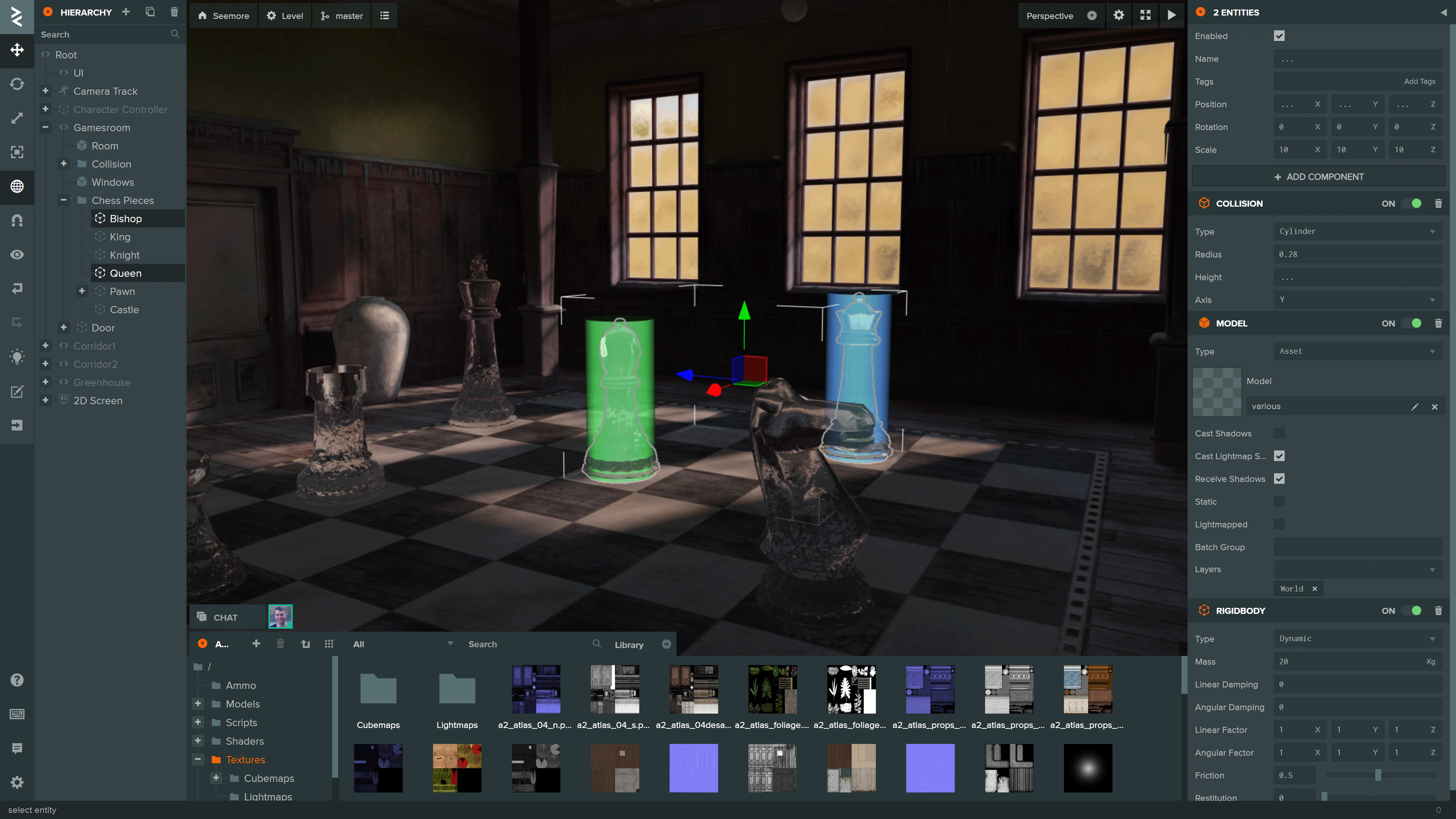
You can see more projects build using the Editor on the [PlayCanvas website](https://playcanvas.com/explore).
## Local Development
To initialize a local development environment for the Editor Frontend, ensure you have [Node.js](https://nodejs.org/) 18 or later installed. Follow these steps:
1. Clone the repository:
```sh
git clone https://github.com/playcanvas/editor.git
cd editor
```
2. Install dependencies:
```sh
npm install
```
3. Build Editor and start a local web server on port 51000:
```sh
npm run develop
```
4. Append the query parameter `use_local_frontend` to load the development build:
```
https://playcanvas.com/editor/project/2535?use_local_frontend
```
> [!NOTE]
> This query parameter is also supported in the code editor and launch page
## Library integration testing
The Editor is built on the following open source libraries:
| Library | Details |
| ------------------------------------------------------------- | ------------------------------------------- |
| [PlayCanvas Engine](https://github.com/playcanvas/engine) | Powers the Editor's 3D View and Launch Page |
| [Observer](https://github.com/playcanvas/playcanvas-observer) | Data binding and history |
| [PCUI](https://github.com/playcanvas/pcui) | Front-end component library |
| [PCUI-Graph](https://github.com/playcanvas/pcui-graph) | PCUI plugin for rendering node-based graphs |
| [Editor API](https://github.com/playcanvas/editor-api) | Public API for Editor automation |
To test the integration of these libraries use [npm link](https://docs.npmjs.com/cli/v9/commands/npm-link). Follow these steps:
1. Create a global link from source
```sh
cd