# coolshapes-react
**Repository Path**: imjesson/coolshapes-react
## Basic Information
- **Project Name**: coolshapes-react
- **Description**: No description available
- **Primary Language**: Unknown
- **License**: MIT
- **Default Branch**: main
- **Homepage**: None
- **GVP Project**: No
## Statistics
- **Stars**: 0
- **Forks**: 0
- **Created**: 2024-08-20
- **Last Updated**: 2024-08-20
## Categories & Tags
**Categories**: Uncategorized
**Tags**: None
## README
[](https://coolshap.es)
# Coolshapes


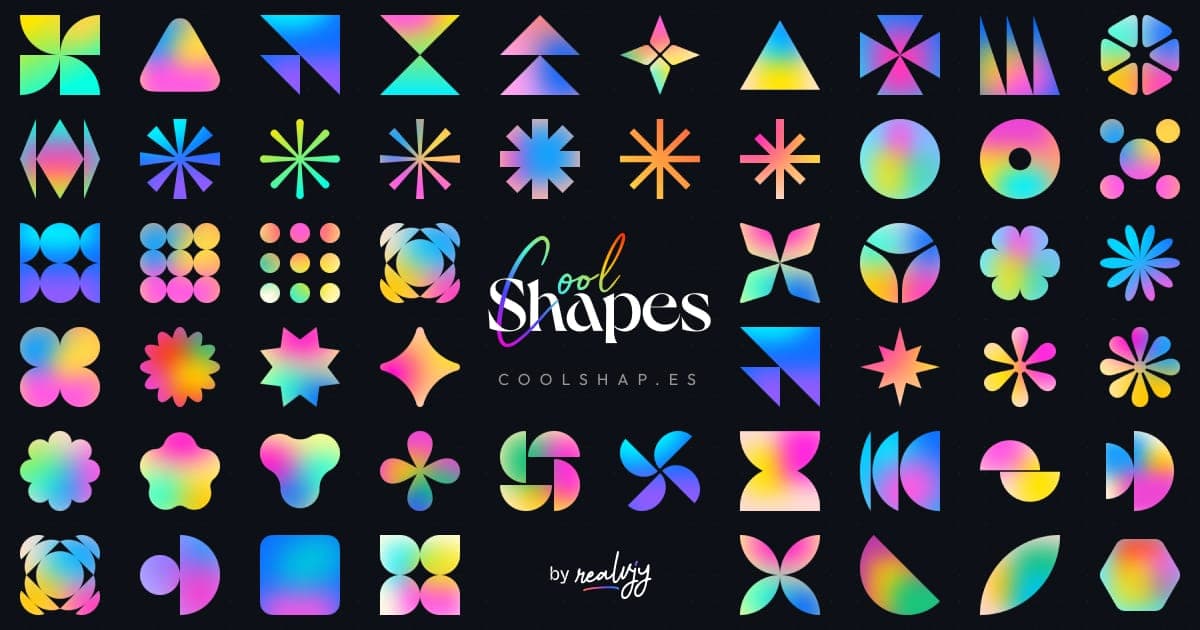
A simple, fun project for the sake of creating some cool-looking abstract shapes with little grainy gradients crafted by [@realvjy](https://x.com/realvjy). Coolshapes is a completely open-source set of 100+ abstract shapes crafted for any design and development projects. Free for both commercial and personal use. Licensed under MIT.
### Table of Contents
- [Coolshapes](#coolshapes)
- [Table of Contents](#table-of-contents)
- [Installation](#installation)
- [How to use](#how-to-use)
- [Global component example](#global-component-example)
- [Shape category components example](#component-with-shape-category-example)
- [Generating random shapes](#generating-random-shapes)
- [Random shape function](#using-random-shape-function)
- [Other Methods](#other-methods)
- [Accessing the shapes object](#renders-the-shapes-from-all-catagories)
- [Props](#props)
- [Categories](#categories)
- [Others](#others)
- [Classname and css](#classnames-and-css)
- [Builds](#builds)
- [Figma File](#figma-file)
- [Credits](#credits)
- [Contributing](#contributing)
- [Support \& Donation](#support--donation)
## Installation
```sh
npm install coolshapes-react
```
or
```sh
yarn add coolshapes-react
```
## How to use
There are two types of components available in **Coolshapes**, which you can use: **Global component** and **Component
for each category of shapes**. and, you can pass additional [props](#props) to adjust the shapes.
#### Global component example
Just import the Global component `Coolshape` and it will work.
```js
import { Coolshape } from "coolshapes-react";
const App = () => {
return ;
};
export default App;
```
#### Component with shape category example
You can import the component for specific category - `Star`,`Ellipse`... etc - and simply pass the index of the shape.
```js
import { Star } from "coolshapes-react";
const App = () => {
return ;
};
export default App;
```
#### Generating random shapes
setting the `random` [prop](#props) to true or leaving the `index` or `type` prop empty would replace the shape with a
random shape every time it renders.
```js
// renders a random shape from any category
const Component = () => {
return ;
};
// renders a shape from the category star
const Component2 = () => {
return ;
};
```
#### Using random shape function
```js
import { getRandomShape } from "coolshapes-react";
```
```js
getRandomShape(); // returns a random shape component
```
```js
getRandomShape({ type: "ellipse" }); // returns a random shape component from the category ellipse
```
```js
getRandomShape({ onlyId: true }); // returns shape identifier that can passed as props to the shape component
// {shapeType, index}
```
```js
getRandomShape({ onlyId: true, type: "star" }); // returns shape identifier that can passed as props to the shape component
// {shapeType: "star", index}
```
#### Other Methods
All the components are mapped from object that we have given you access to
```js
const shapes = {
star: [Star1, Star2, ...],
ellipse: [Ellipse1, Ellipse2, ...],
...
}
```
#### Renders the shapes from all categories
```jsx
import { shapes } from "coolshapes-react";
const ShapeGrid = () => {
return (
<>
{
Object.keys(shapes).map((shapeType, _) => {
return shapes[shapeType].map((Shape, index) => {
return ;
});
})}
);
};
```
###### syntax
```js
shapes[type][index];
```
```js
const starComponents = shapes["star"];
const StarComponent1 = starComponents[0];
```
### Props
| name | data type | default | description |
|-----------------------|-----------|---------|----------------------------------------------------------------------------------------------------------------------------------------------------------|
| `size` | _Number_ | 200 | The dimension of shape |
| [`type`](#categories) | _String_ | random | The category of shapes, if left empty it will randomly select a category. |
| `noise` | _Boolean_ | true | Whether to add noise to the shape or not. |
| `index` | _Number_ | random | The index of shape within the shape [category](#categories), it would randomly select a shape from the category if type prop given. index starts from 0. |
| `random` | _Boolean_ | false | If set true it will select a random component |
#### notes
> Index starts from number 0, so if you want to retrieve the first shape of any category, you would use the index number 0.
> The shapes are SVG components behind the hood, so it's also supports all the props that can be passed in a svg element.
### Categories
There are a total of **115** shapes available in Coolshapes under the following categories.
| name | count |
|-------------|-------|
| `star` | 13 |
| `triangle` | 14 |
| `moon` | 15 |
| `polygon` | 8 |
| `flower` | 16 |
| `rectangle` | 9 |
| `ellipse` | 12 |
| `wheel` | 7 |
| `misc` | 11 |
| `number` | 10 |
**Note:** While passing the category name in the component, the name will be in lower case.
### Others
#### ClassNames and css
all the components have classname `coolshapes` assigned as default, but you can also pass custom classname of yours.
```jsx
import { Star } from 'coolshapes-react';
export const Shape = () => {
return(
)
}
```
```scss
// make the shapes size responsive similar to img elements.
.coolshapes{
width: 100%;
max-height: 48px;
}
```
#### Builds
We have given `umd`, `es` and `cjs` versions of the build.
#### cjs
```js
const Coolshapes = require("coolshapes-react");
```
Using with react in the browser
```html
```
##### unpkg
```
https://unpkg.com/coolshapes-react/dist/umd/coolshapes.js
```
## Figma File
Grab it from [Figma Community](https://www.figma.com/community/file/1367467631420622345/cool-shapes-100-abstract-shapes)
## Credits
- Crafted by [realvjy](https://vjy.me?ref=gcs). You are always welcome to share your feedback on twitter or any other social media platform.
- [Noisy Gradients Plugin](https://www.figma.com/community/plugin/1174390287006360600/noisy-gradients) - Some of the gradients generated using **Noisy Gradients** Figma plugin
## Contributing
If you want to contribute, create a [pull request](https://github.com/realvjy/coolshapes-react/pulls).
## Support & Donation
**Coffee fuels design & coding ☕️**
