# dev-kt
**Repository Path**: lancv33/dev-kt
## Basic Information
- **Project Name**: dev-kt
- **Description**: No description available
- **Primary Language**: Unknown
- **License**: GPL-3.0
- **Default Branch**: master
- **Homepage**: None
- **GVP Project**: No
## Statistics
- **Stars**: 0
- **Forks**: 0
- **Created**: 2025-10-29
- **Last Updated**: 2025-10-29
## Categories & Tags
**Categories**: Uncategorized
**Tags**: None
## README
# DevKt
[](https://jitpack.io/#ice1000/dev-kt)
CI|Status
:---:|:---:
Travis CI (test, no artifact)|[](https://travis-ci.org/ice1000/dev-kt)
AppVeyor (artifact, no test)|[](https://ci.appveyor.com/project/ice1000/dev-kt)
CircleCI (both)|[](https://circleci.com/gh/ice1000/dev-kt)
This is a DevCpp-like cross-platform Kotlin (and Java, experimental) IDE features in lightweight.
You can download a snapshot [here](https://ci.appveyor.com/project/ice1000/dev-kt/build/artifacts), the one ends with "-all.jar" is an executable jar.
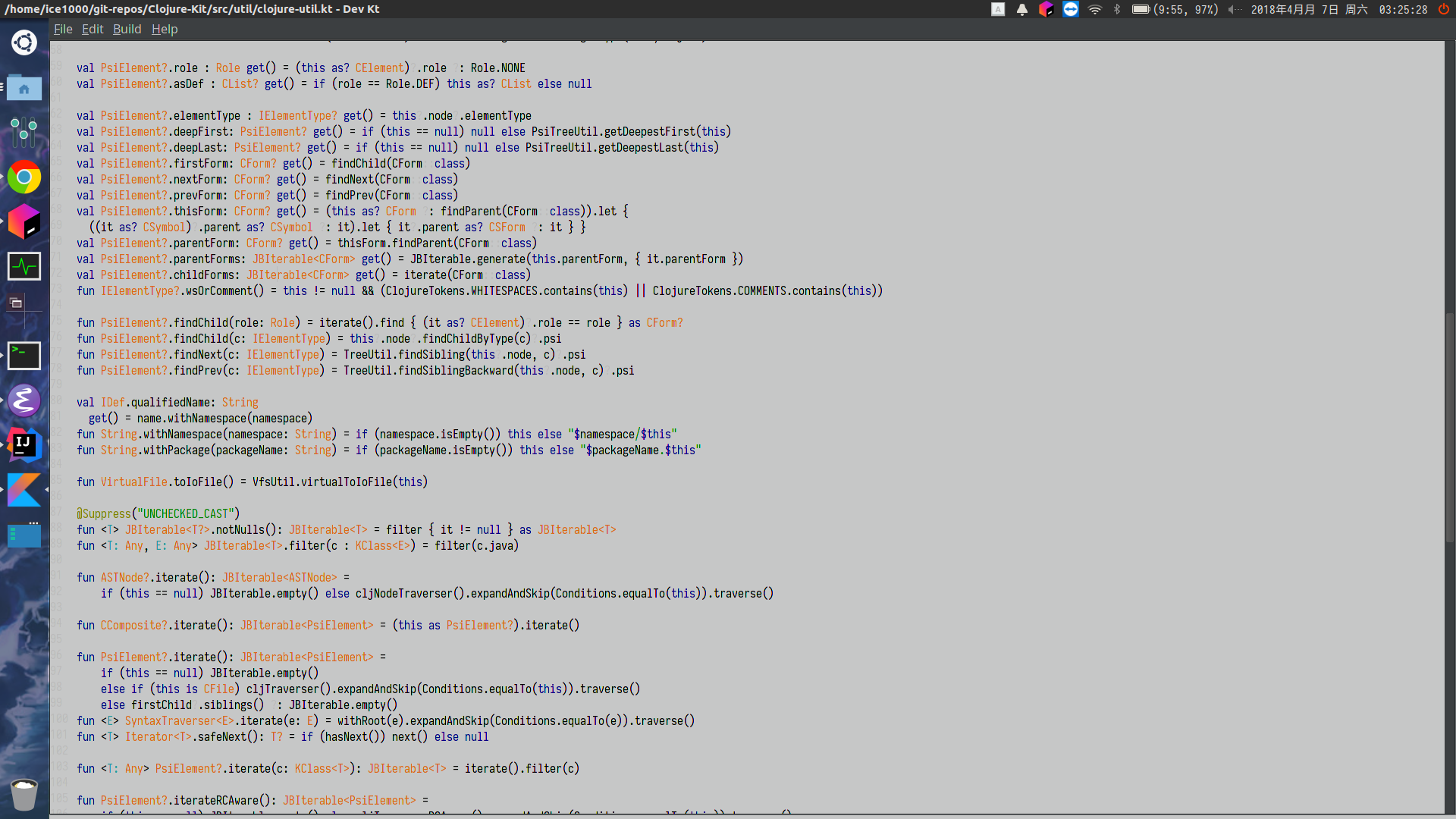
Here are some screenshots:

 # Features
+ Fast (at least faster than Emacs/Eclipse/IntelliJ/CLion/VSCode/Atom)
+ Lightweight (Just a tiny Java Swing application)
+ Kotlin compiler integration (**100% correct parsing**)
+ JetBrains IDE icons
+ Build as jar/class files, run after build, just one click
+ Cross platform (windows/macos/linux), just an executable jar
+ One property-based configuration file, hackable
+ Experimental Java support
+ Plugin system based on `ServiceLoader`
Just a simple comparison:
DevKt
# Features
+ Fast (at least faster than Emacs/Eclipse/IntelliJ/CLion/VSCode/Atom)
+ Lightweight (Just a tiny Java Swing application)
+ Kotlin compiler integration (**100% correct parsing**)
+ JetBrains IDE icons
+ Build as jar/class files, run after build, just one click
+ Cross platform (windows/macos/linux), just an executable jar
+ One property-based configuration file, hackable
+ Experimental Java support
+ Plugin system based on `ServiceLoader`
Just a simple comparison:
DevKt
Correct|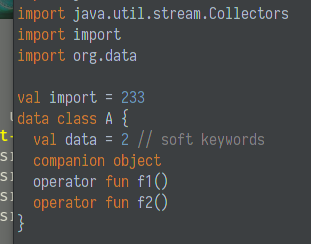 :---:|:---:
IntelliJ IDEA
:---:|:---:
IntelliJ IDEA
Correct,
with inspections|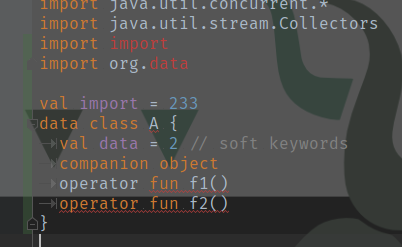 Emacs
Emacs
Incorrect|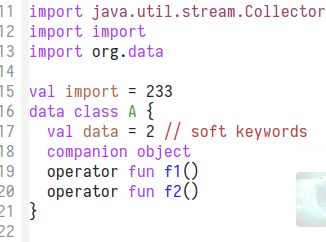 VSCode
Incorrect| # For Linux users
To use the JavaFX version on Linux, please install oraclejdk instead of openjdk:
```
$ sudo add-apt-repository ppa:webupd8team/java
$ sudo apt-get update
$ sudo apt-get install oracle-java8-installer
```
# Plugin development guide
See https://devkt-plugins.github.io
To install a plugin, just add the jar in the classpath, and you don't need to do anything else.
# For Linux users
To use the JavaFX version on Linux, please install oraclejdk instead of openjdk:
```
$ sudo add-apt-repository ppa:webupd8team/java
$ sudo apt-get update
$ sudo apt-get install oracle-java8-installer
```
# Plugin development guide
See https://devkt-plugins.github.io
To install a plugin, just add the jar in the classpath, and you don't need to do anything else.