# bamboobsc
**Repository Path**: mirrors/bamboobsc
## Basic Information
- **Project Name**: bamboobsc
- **Description**: 平衡计分卡简称「BSC」(Balanced Scorecard)于1992年由哈佛大学名师罗伯·卡普兰及大卫·诺顿(David Norton)首度提出,其最早的用意在于解决传统的绩
- **Primary Language**: Java
- **License**: Apache-2.0
- **Default Branch**: master
- **Homepage**: https://www.oschina.net/p/bamboobsc
- **GVP Project**: No
## Statistics
- **Stars**: 0
- **Forks**: 1
- **Created**: 2020-07-24
- **Last Updated**: 2025-12-13
## Categories & Tags
**Categories**: Uncategorized
**Tags**: None
## README
### next version move to https://github.com/billchen198318/hillfog
bambooBSC is an opensource Balanced Scorecard (BSC) Business Intelligence
 Features:
1. BSC's Vision, Perspectives, Objectives of strategy, Key Performance Indicators (KPIs). and Maintain measure-data.
2. KPI report, Personal and organization BSC report. can custom workspace's layout
3. Strategy Map, and BSC SWOT.
4. Provides SQL client query results show as Chart ( PIE, BAR, LINE, AREA ).
5. Provides a simple OLAP client query.
6. Provides Sourcecard query for mobile-device browser.
7. PDCA & PDCA report.
bambooBSC demo video
bambooBSC demo video
Who use bambooBSC
PROPUESTA DE DISEÑO DEL
CUADRO DE MANDO INTEGRAL
PARA LA TOMA DE DECISIONES EN EL
INSTITUTO FINLAY DE VACUNAS
bambooBSC architecture

License
bambooBSC is released under version 2.0 of the Apache Version 2.0
VM version install document:
install-vm-ver.pdf
manual install document:
install.pdf
manual document:
bamboobsc-guide.pdf
Download:
VM version( need with VirtualBox ):
https://github.com/billchen198318/bamboobsc/releases/download/v0.7.8/bamboobsc-0.7.8-RELEASE-VM.7z
Manual install version:
https://github.com/billchen198318/bamboobsc/releases/download/v0.7.8/bamboobsc-0.7.8-RELEASE.7z
contact: chen.xin.nien@gmail.com
Screenshot
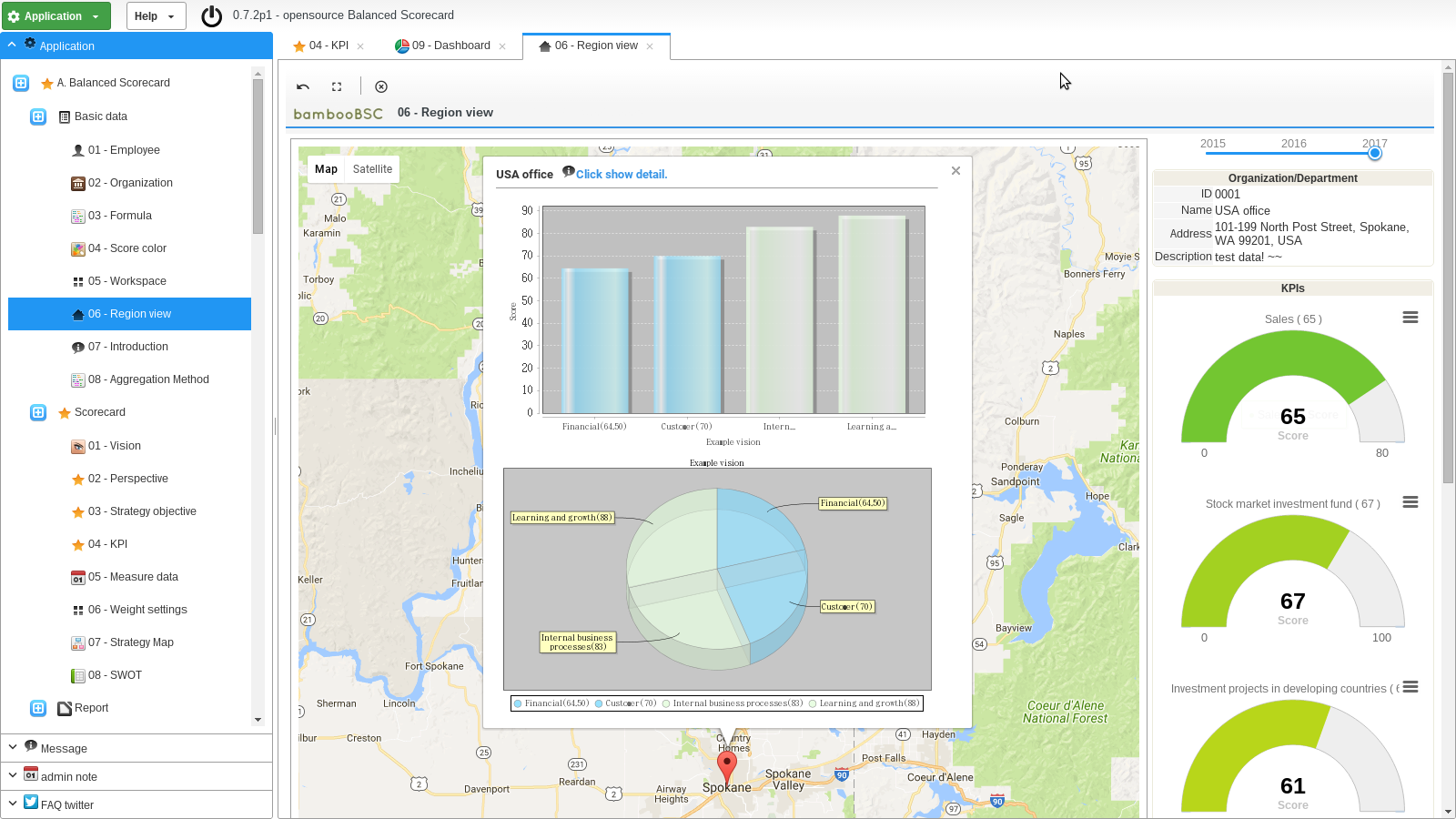
1 Region view.
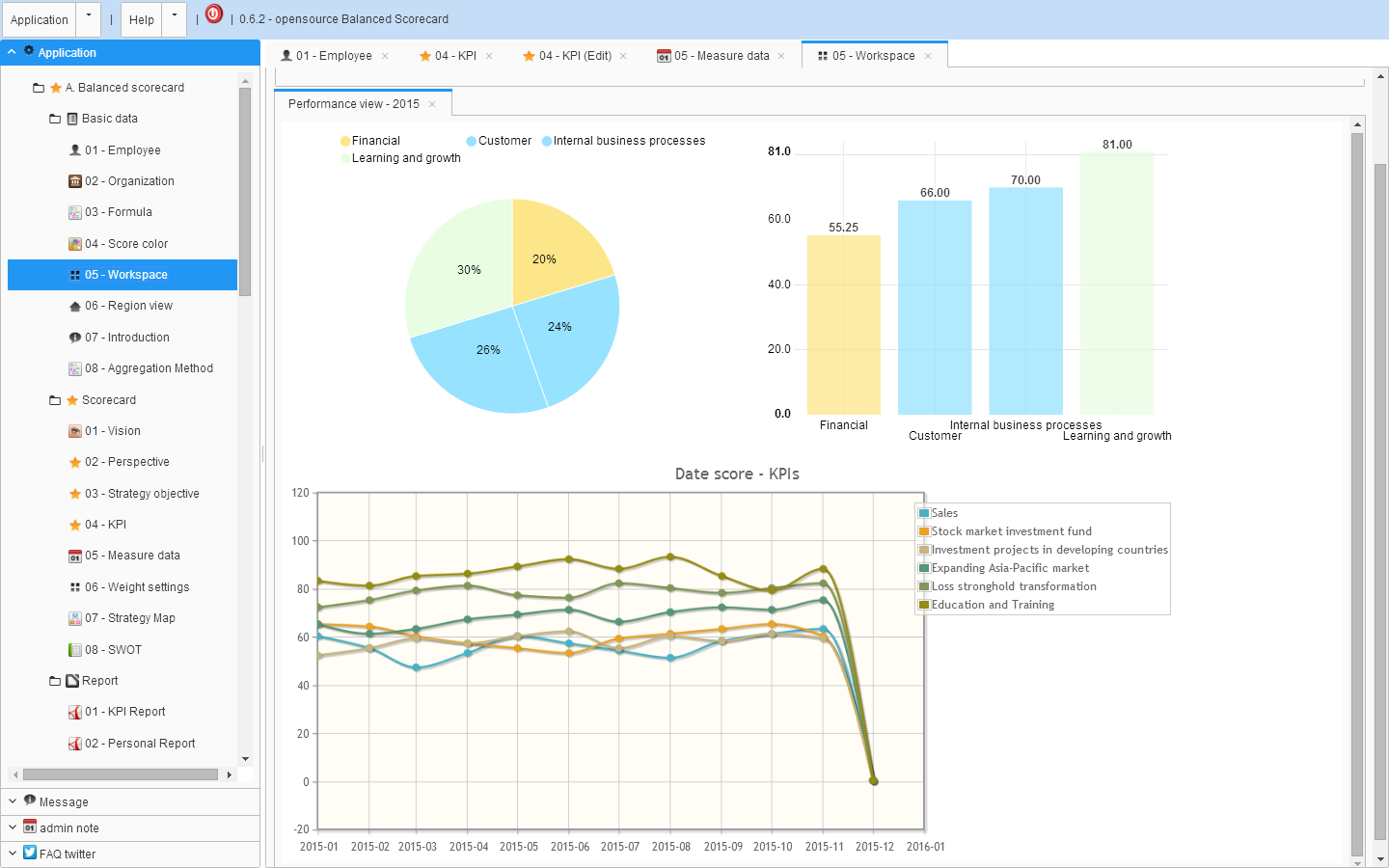
2 Workspace.
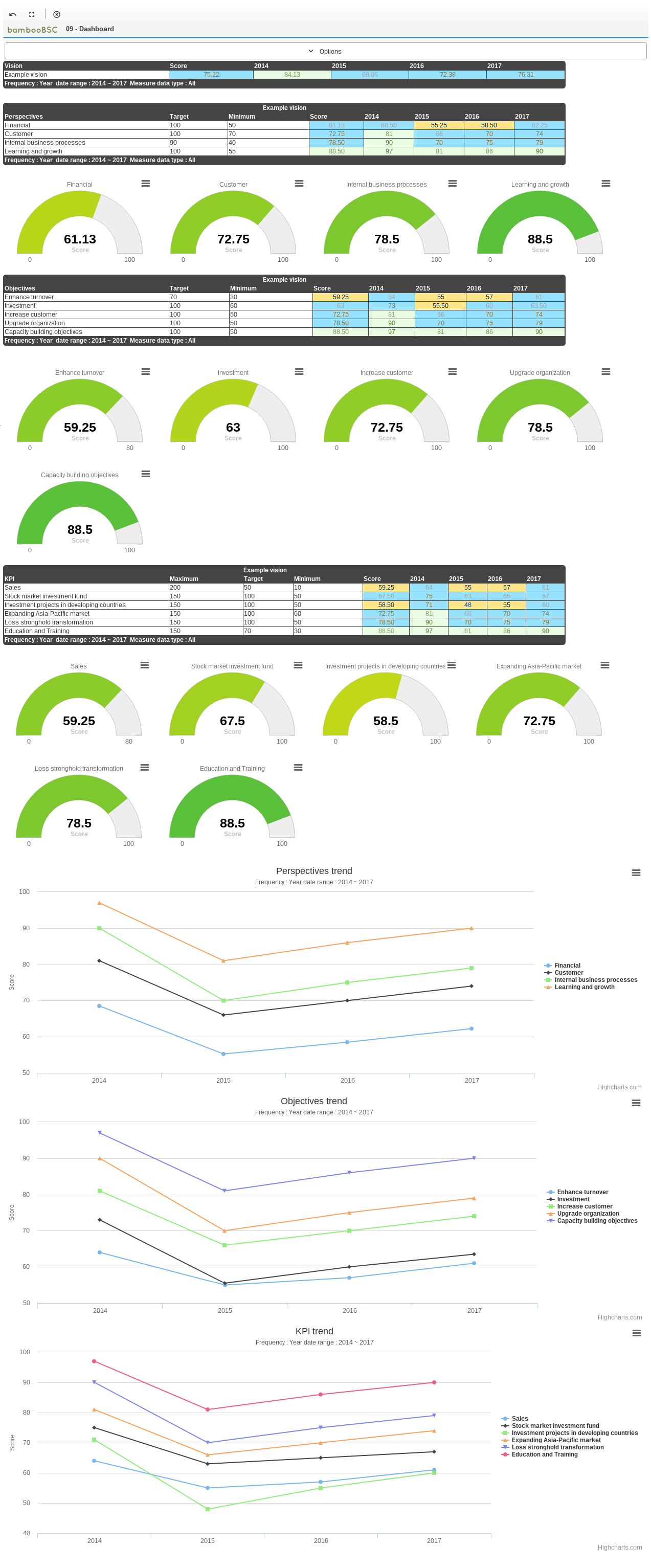
3 KPIs dashboard.
4 Employee/Personal BSC report.

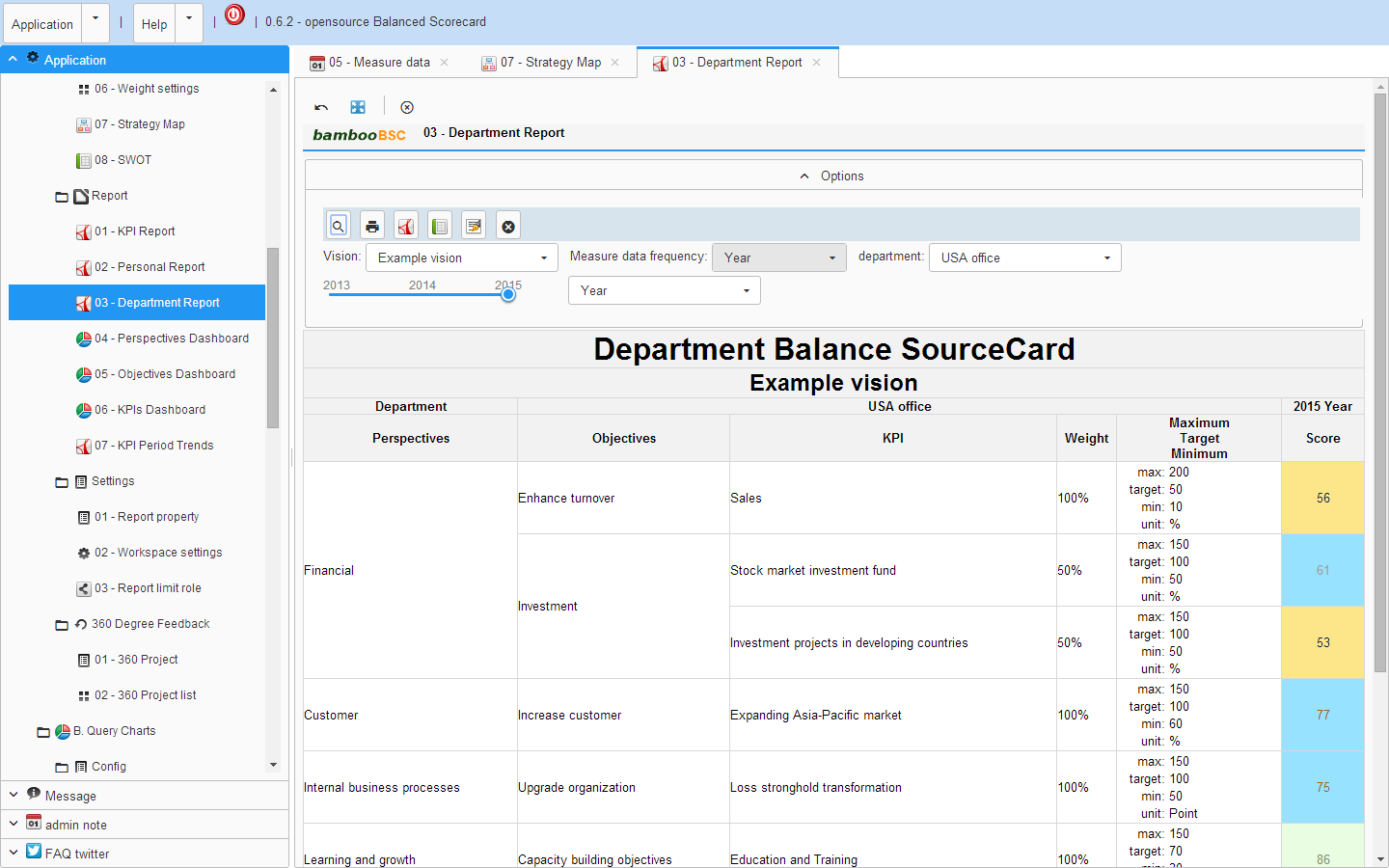
5 Department BSC report.
6 Employee 360 Degree feedback score view.

7 KPI BSC report.
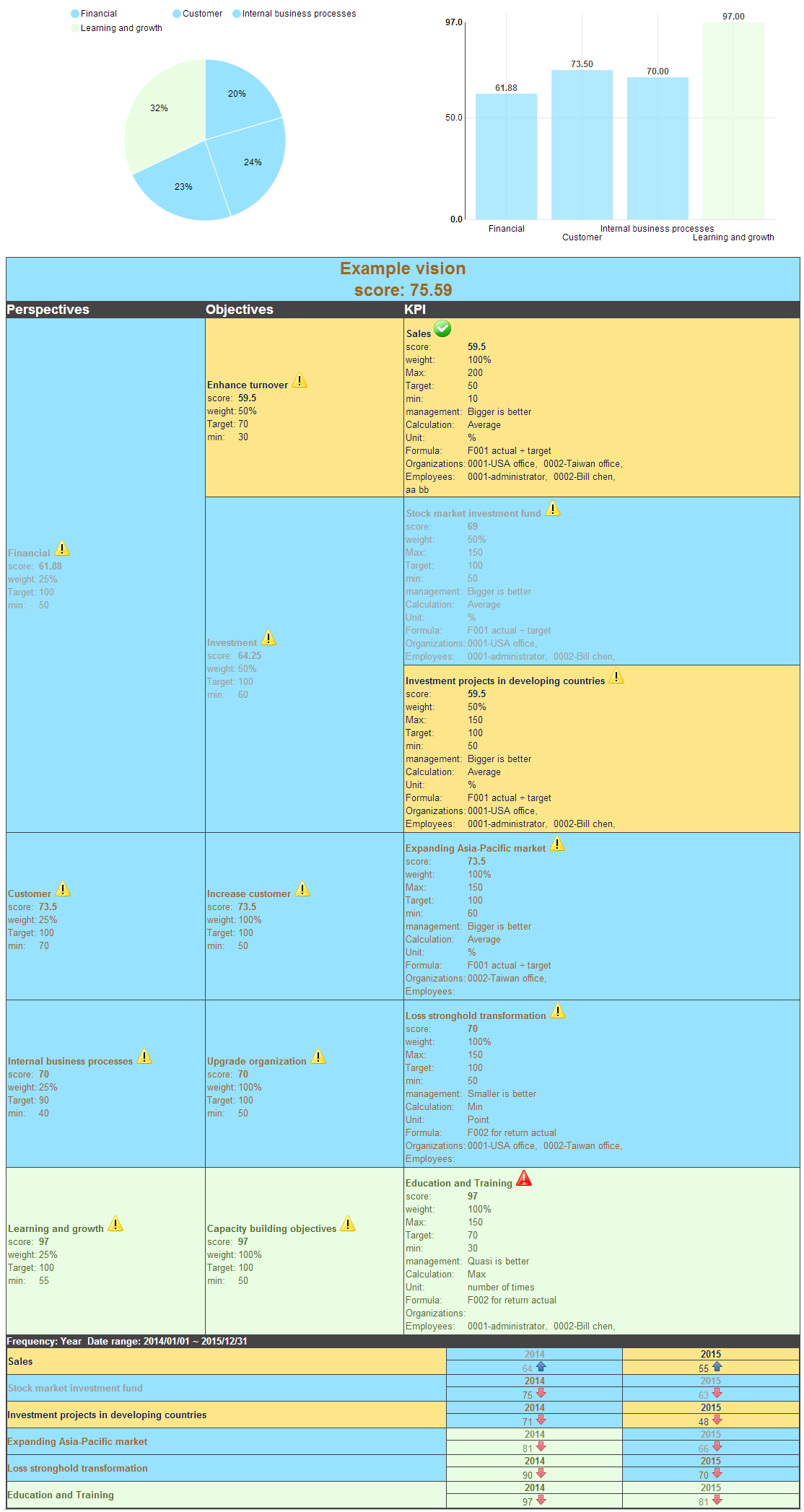
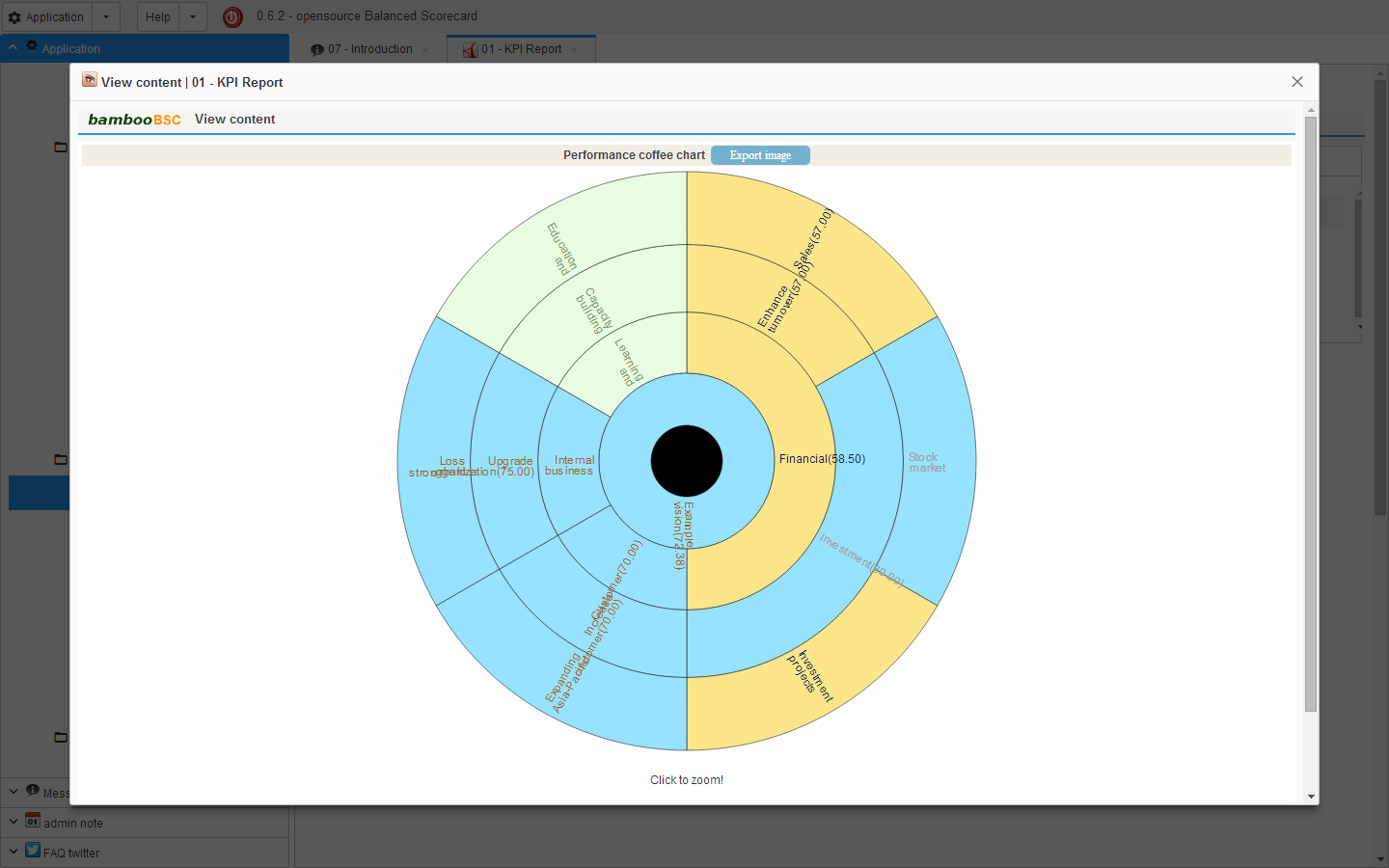
7 KPI BSC report (coffee chart).
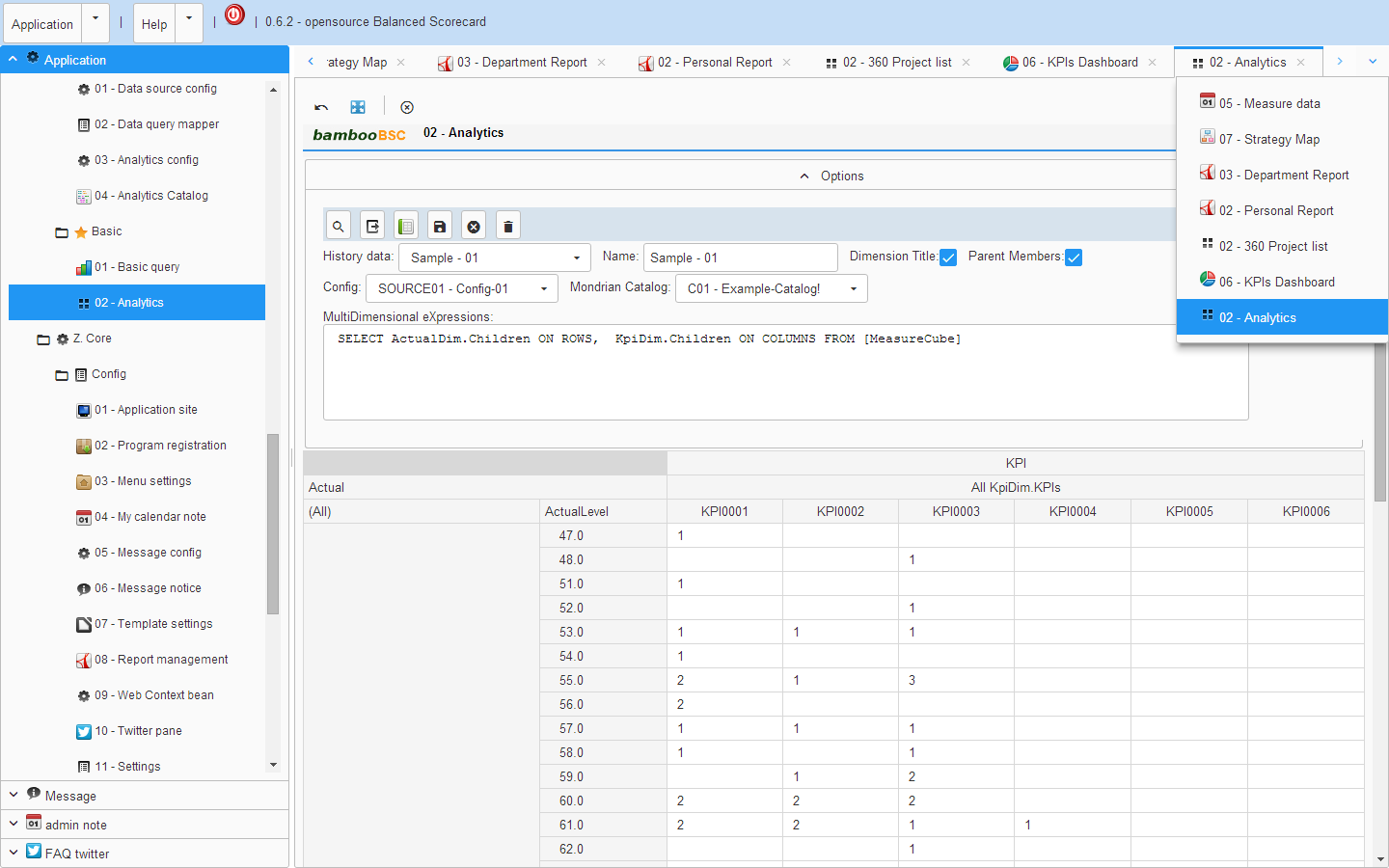
8 OLAP Client report.
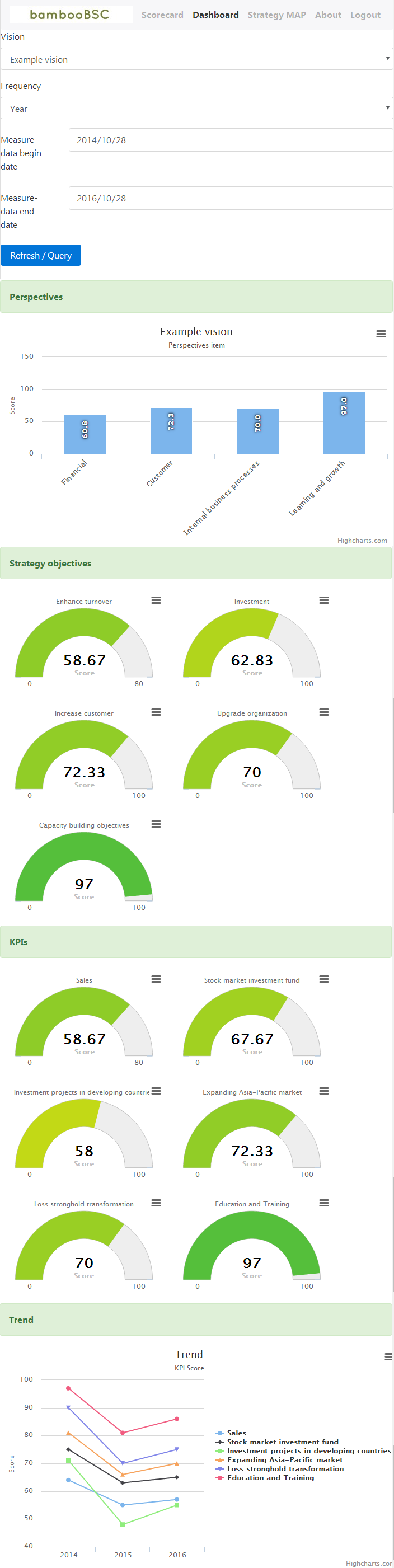
9 Mobile version dashboard view.
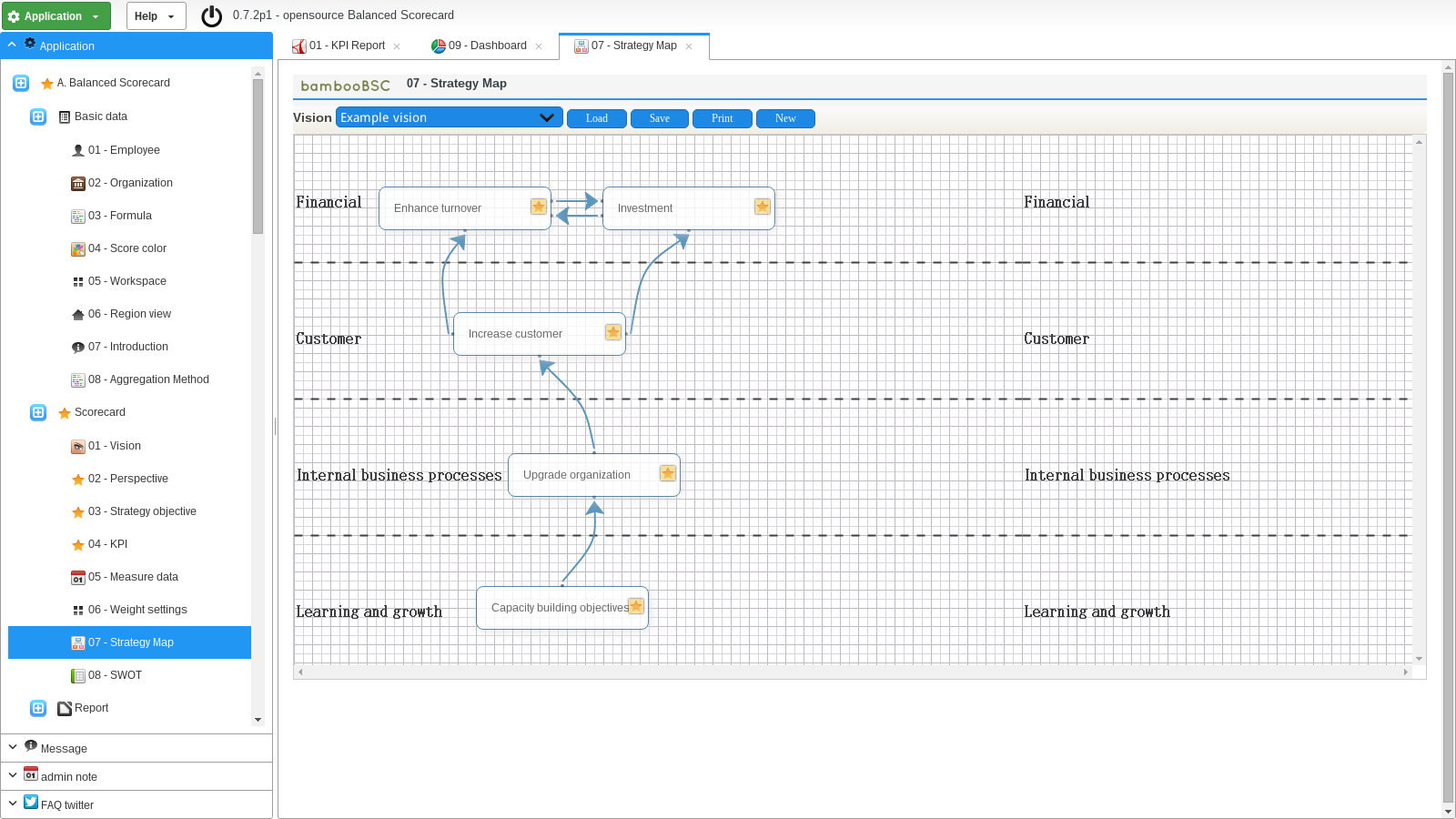
10 BSC strategy-map.
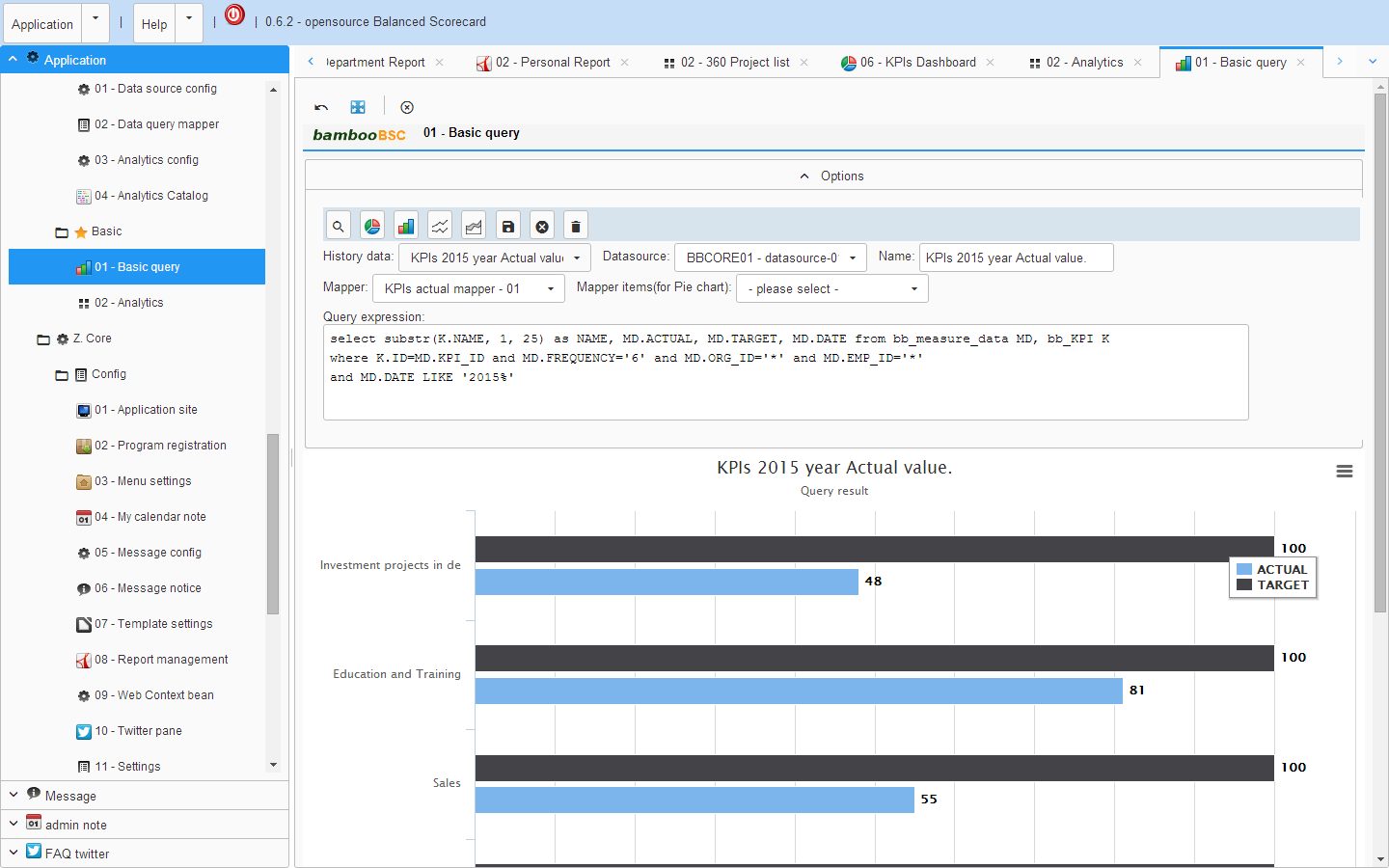
11 SQL-Client query result as chart.
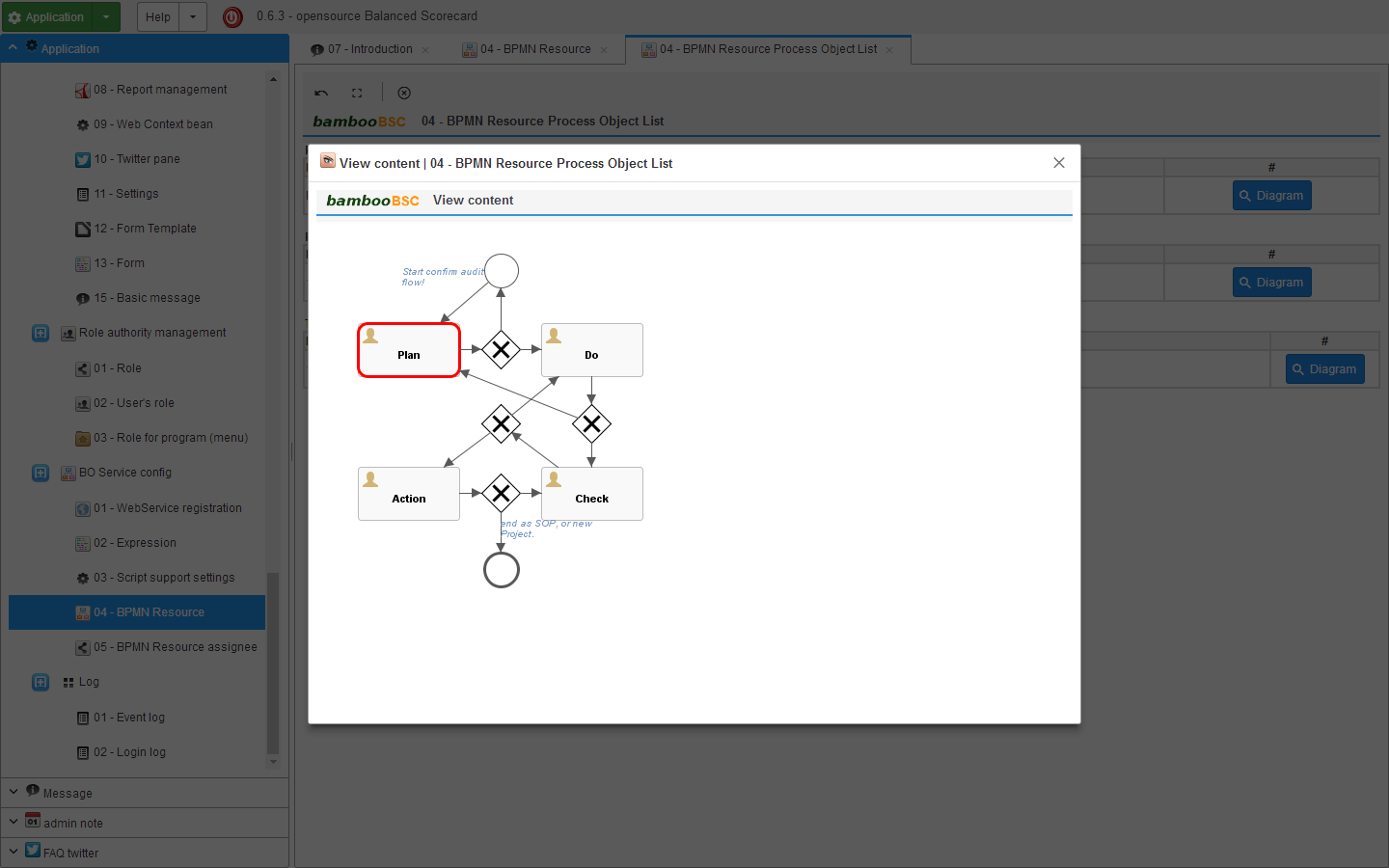
12 Support the development of integration processes flow.
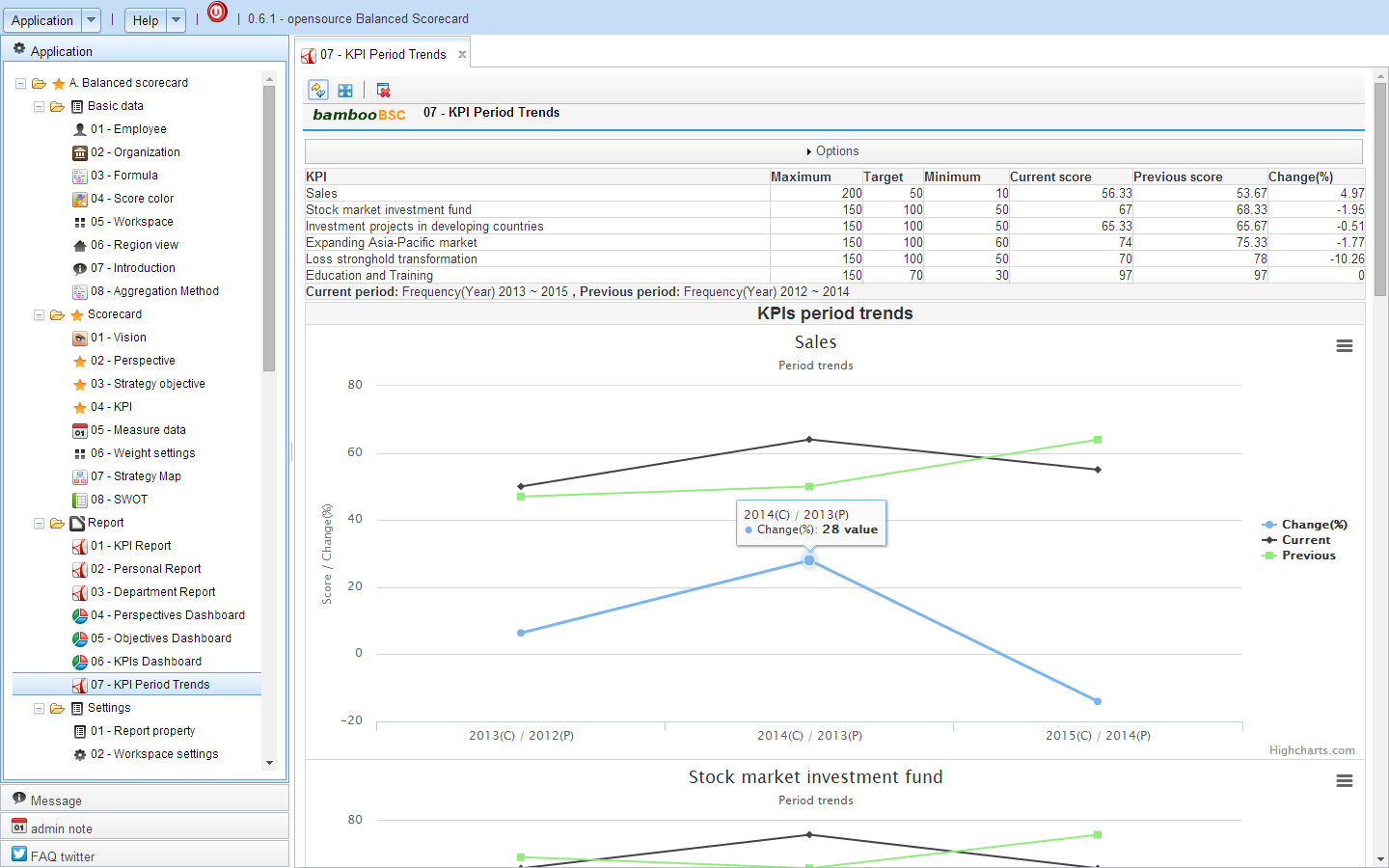
13 KPI period trends / change(%).
14 PDCA Report.
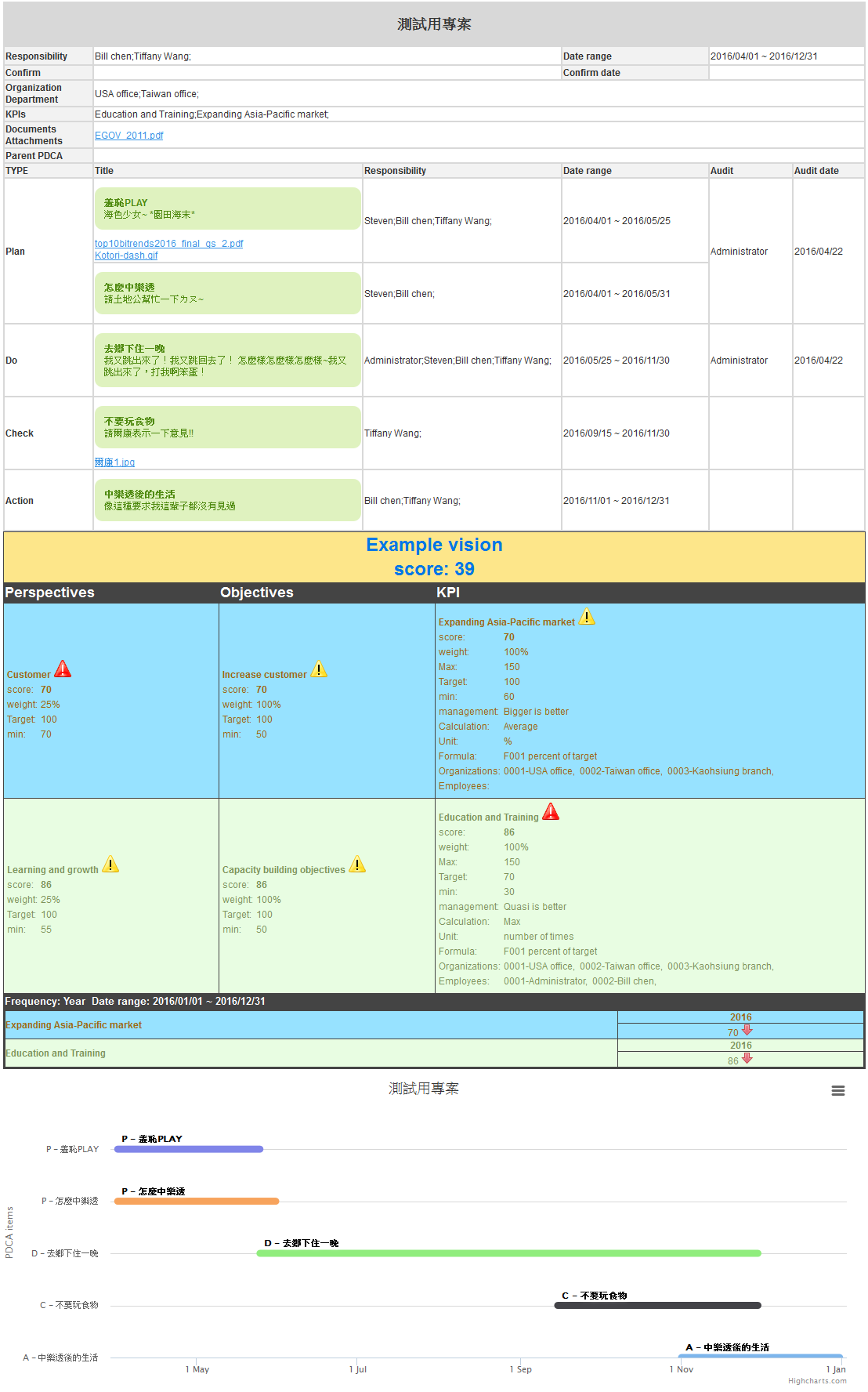
15 PDCA Project history.
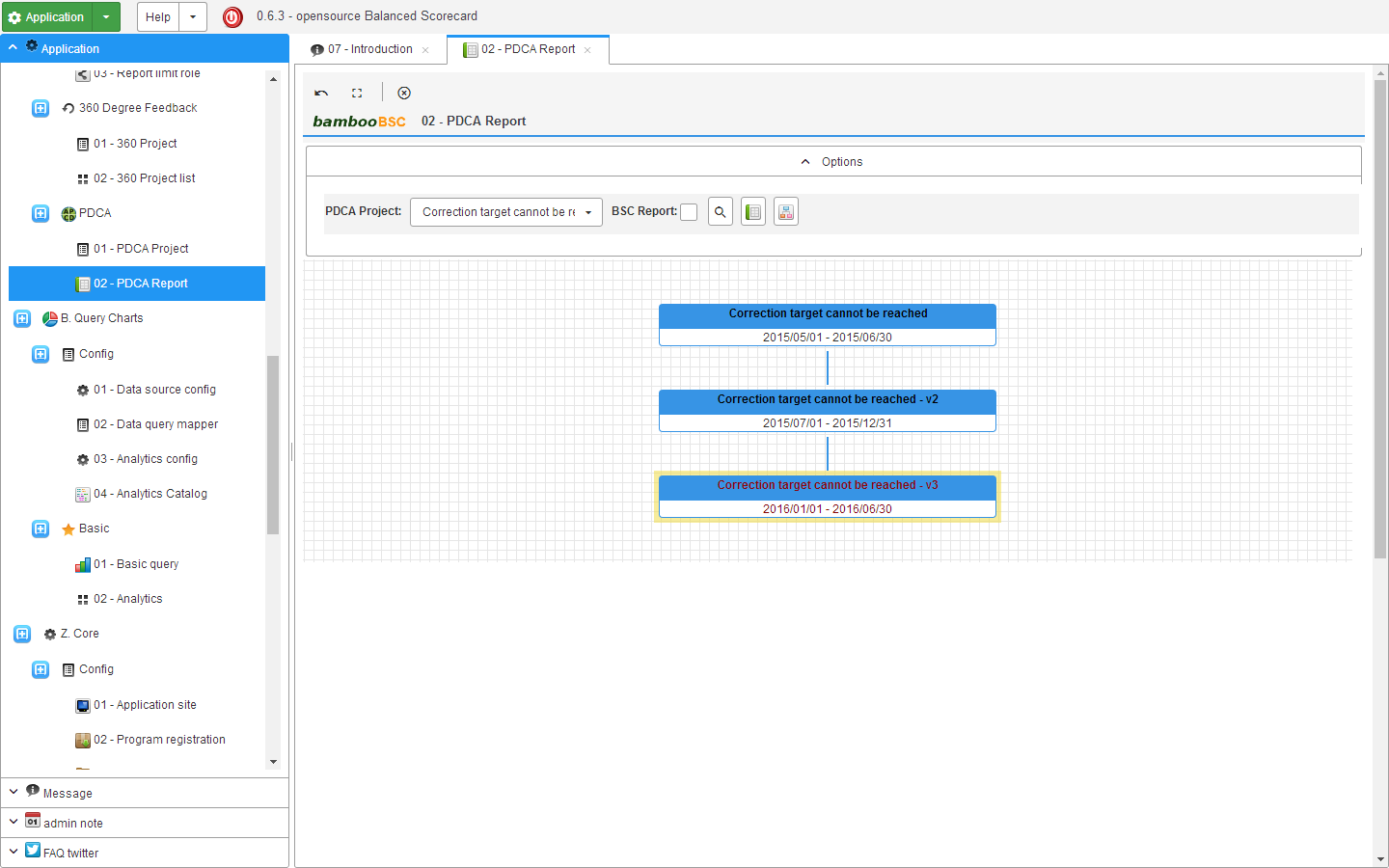
### Install on Linux
### 1. must first install the MariaDB and JDK8 (JAVA8)
```
# apt-get install oracle-java8-jdk
# java -version
```
java version "1.8.0"
Java(TM) SE Runtime Environment (build 1.8.0-b132)
Java HotSpot(TM) Client VM (build 25.0-b70, mixed mode)
### config MariaDB root account's password
```
# mysqladmin -u root -p password
```
### 2. Config MariaDB enable lower_case_table_names=1
```
# service mysql stop
# vi /etc/mysql/my.cnf
```
add lower_case_table_names=1
```
[mysqld]
lower_case_table_names=1
```
and save my.cnf
```
# service mysql restart
```
### 3. Get bambooBSC environment file
```
# cd /home
# wget --no-check-certificate https://github.com/billchen198318/bamboobsc/releases/download/v0.7.8/bamboobsc-0.7.8-RELEASE.7z
```
### 4. Install P7ZIP
```
# apt-get install p7zip
```
### 5. Extract the archive
```
# p7zip -d bamboobsc-0.7.8-RELEASE.7z
```
### 6. Import bbcore.sql to MariaDB
```
# cd /home/bamboobsc-07/
# mysql -u root -p
```
mysql> create database bbcore;
mysql> exit;
```
# mysql bbcore -u root -p < bbcore.sql
```
### 7. Config applicationContext-dataSource.properties
config A ( CORE system ).
/home/bamboobsc-07/apache-tomcat-8.5.56/webapps/core-web/WEB-INF/classes/applicationContext/conf/applicationContext-dataSource.properties
config B (Balanced Scorecard system ).
/home/bamboobsc-07/apache-tomcat-8.5.56/webapps/gsbsc-web/WEB-INF/classes/applicationContext/conf/applicationContext-dataSource.properties
config C (Simple OLAP system ).
/home/bamboobsc-07/apache-tomcat-8.5.56/webapps/qcharts-web/WEB-INF/classes/applicationContext/conf/applicationContext-dataSource.properties
config D (Mobile web ).
/home/bamboobsc-07/apache-tomcat-8.5.56/webapps/gsbsc-mobile-web/WEB-INF/classes/applicationContext/conf/applicationContext-dataSource.properties
settings dataSource.user and dataSource.password
dataSource.user is MariaDB account
dataSource.password is MariaDB password
example:
```
dataSource.user=root
dataSource.password=password
```
### 8. The need to create the directory folder, for upload and report source file need.
```
# cd /var
# mkdir gsbsc gsbsc/upload gsbsc/jasperreport
```
### 9. Run bambooBSC
```
# cd /home/bamboobsc-07/apache-tomcat-8.5.56/bin
# chmod a+x catalina.sh
# chmod a+x shutdown.sh
# chmod a+x startup.sh
```
add JAVA_OPTS="-Xmx2048M -XX:+UseG1GC -Djava.awt.headless=true -Dfile.encoding=UTF-8 -Duser.language=en -Duser.country=US" to catalina.sh
```
# ./startup.sh
```
Wait a few minutes,
Use google Chrome or Firefox browser (no support IE) input url ( [IP-Address]:[Port]/core-web/index.action )
example (if server IP-Address is 192.168.1.100) :
192.168.1.100:8080/core-web/index.action
the log file on /tmp/
### Install on Amazon EC2 Failed to get local InetAddress for VMID
cannot connect to MariaDB database
Please refer to:
http://stackoverflow.com/questions/603351/can-we-set-easy-to-remember-hostnames-for-ec2-instances
### Build development environments
```
System required
A. JDK8
B. Eclipse4 or later version
C. Apache Tomcat8
```
### 1. Download archives file
click "Download ZIP" button
 ### 2. Unzip the archive file bamboobsc-master.zip
Unzip to C:\home\git\
### 2. Unzip the archive file bamboobsc-master.zip
Unzip to C:\home\git\
 ### 3. Open eclipse
workspace dir input C:\home\git\bamboobsc-master
### 3. Open eclipse
workspace dir input C:\home\git\bamboobsc-master
 ### 4. Configure eclipse
settings Text file encoding to UTF-8
### 4. Configure eclipse
settings Text file encoding to UTF-8
 ### 5. Import project
a. core-persistence
### 5. Import project
a. core-persistence
b. core-lib
c. core-base
d. core-web
e. gsbsc-standard
f. gsbsc-web
g. qcharts-standard
h. qcharts-web
i. gsbsc-mobile-web
j. gsbsc-persistence
k. qcharts-persistence

 config tomcat7 server

 config core-lib project "ThirdPartyLib" user libraries
add External JARs: all jar file on C:\home\git\bamboobsc-master\core-web\WEB-INF\lib\
 config core-base project "CORE-LIB" user libraries
add External JARs: "core-persistence.jar" and "core-lib.jar" on C:\home\git\bamboobsc-master\core-export-lib\
 config gsbsc-standard project "CORE-BASE" user libraries
add External JARs: "core-base.jar", "gsbsc-persistence.jar" on C:\home\git\bamboobsc-master\core-export-lib\
 ### 5. Clean Java Problems ( if found Java Problem on Markers )
1. Clean all project
2. Restart
no found Java Problem, Environment Setup Complete
### 5. Clean Java Problems ( if found Java Problem on Markers )
1. Clean all project
2. Restart
no found Java Problem, Environment Setup Complete
 # bambooBSC development manual
01 - Entitiy
# bambooBSC development manual
01 - Entitiy
02 - DAO and Service
03 - Logic service
04 - Controller
05 - Program registration and Menu settings
06 - Role and authority settings
07 - Expression support Logic Service
08 - WebService
09 - JasperReport
10 - BPMN resource
11 - Mail
12 - Job Scheduler
13 - Template
14 - Web Context bean
15 - Formula
16 - API