# docs-yaml
**Repository Path**: mirrors_microsoft/docs-yaml
## Basic Information
- **Project Name**: docs-yaml
- **Description**: No description available
- **Primary Language**: Unknown
- **License**: MIT
- **Default Branch**: main
- **Homepage**: None
- **GVP Project**: No
## Statistics
- **Stars**: 0
- **Forks**: 0
- **Created**: 2020-10-13
- **Last Updated**: 2026-03-21
## Categories & Tags
**Categories**: Uncategorized
**Tags**: None
## README
[](https://ceapex.visualstudio.com/Engineering/_build/latest?definitionId=1358&branchName=master)
# Docs YAML Extension
Provides Docs YAML support via [yaml-language-server](https://github.com/redhat-developer/yaml-language-server).
## Schemas supported to validate
There are two types of files that we run schema validation against:
1. For YAMLMime-based YAML files, we use the the YAMLMime to identify the schema to validate against according to our [config](https://static.docs.com/ui/latest/schemas/schema_config.json). When schema files get updated, the extension will automatically pick up the latest version after a small latency (around 10 min). There is no need to reopen or reload the extension. **When a new schema is added to this repository, we will to update the [config](https://static.docs.com/ui/latest/schemas/schema_config.json) and release a new version of the extension.**
2. For TOC files, there is no YAMLMime at the beginning of the file, so we use the filename to identify the schema. The file name is case-sensitive; `toc.yml` and `TOC.yml` will both be be validated against the TOC schema, but `toc.yaml` and other variations will not.
## Features
* The code intellisense is more intelligent now; the extension can provide the intellisense according to the schema structure, not just text mapping. To invoke intellisense, hit `ctrl + space` to view the list of schema options.
* The extension can generate an input template for `object` (including required properties and optional properties with default value).
* You can type a `-` and hit `ctrl + space` to trigger the intellisense for generating a new array item.
### 1. YAML validation
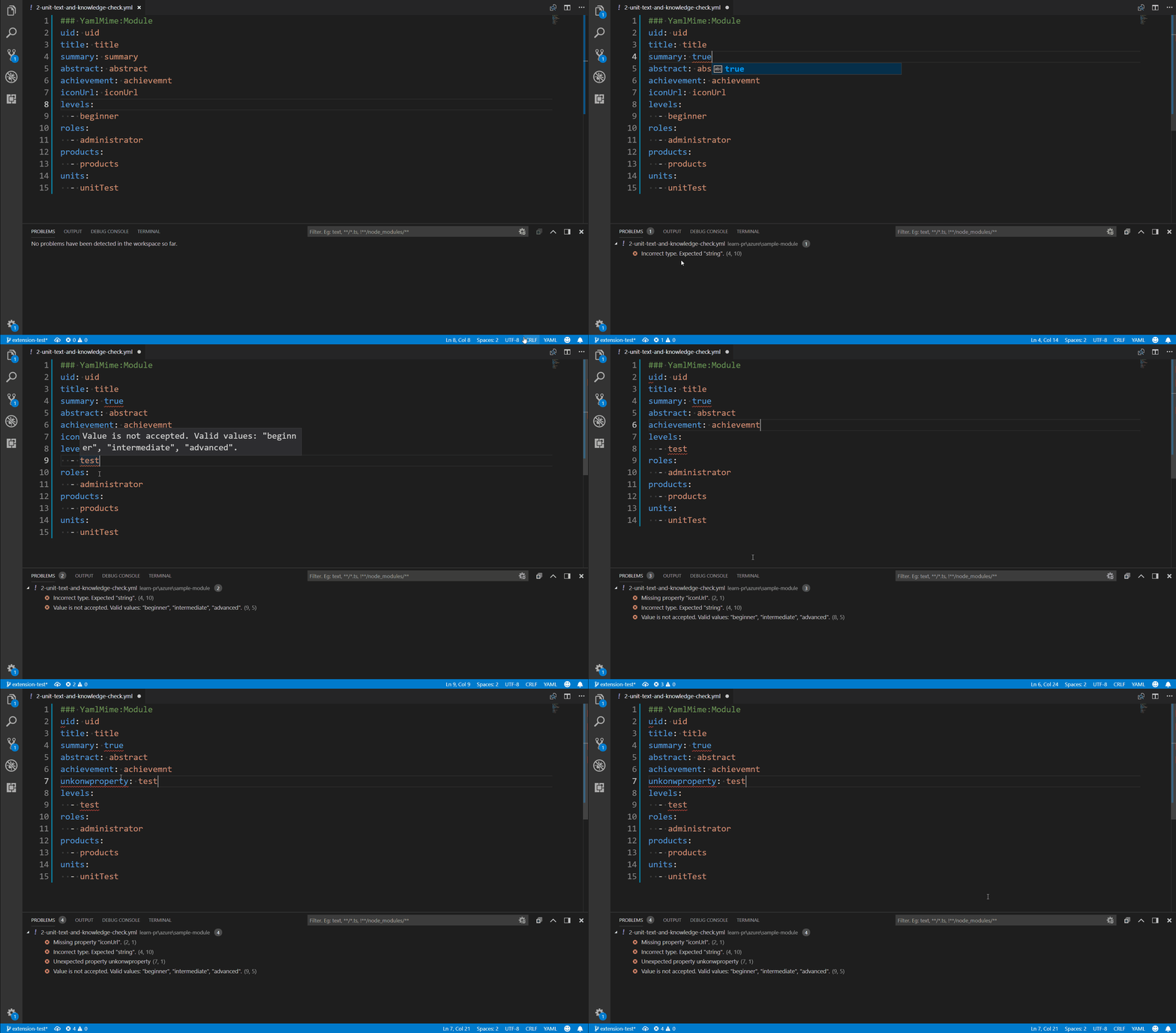
* Apply schema validation according to the [YAMLMime](#YamlMime)
* Detects errors such as:
* Invalid property value type
* Out of enum scope
* Required property is missing
* Unexpected property
### 2. Auto completion
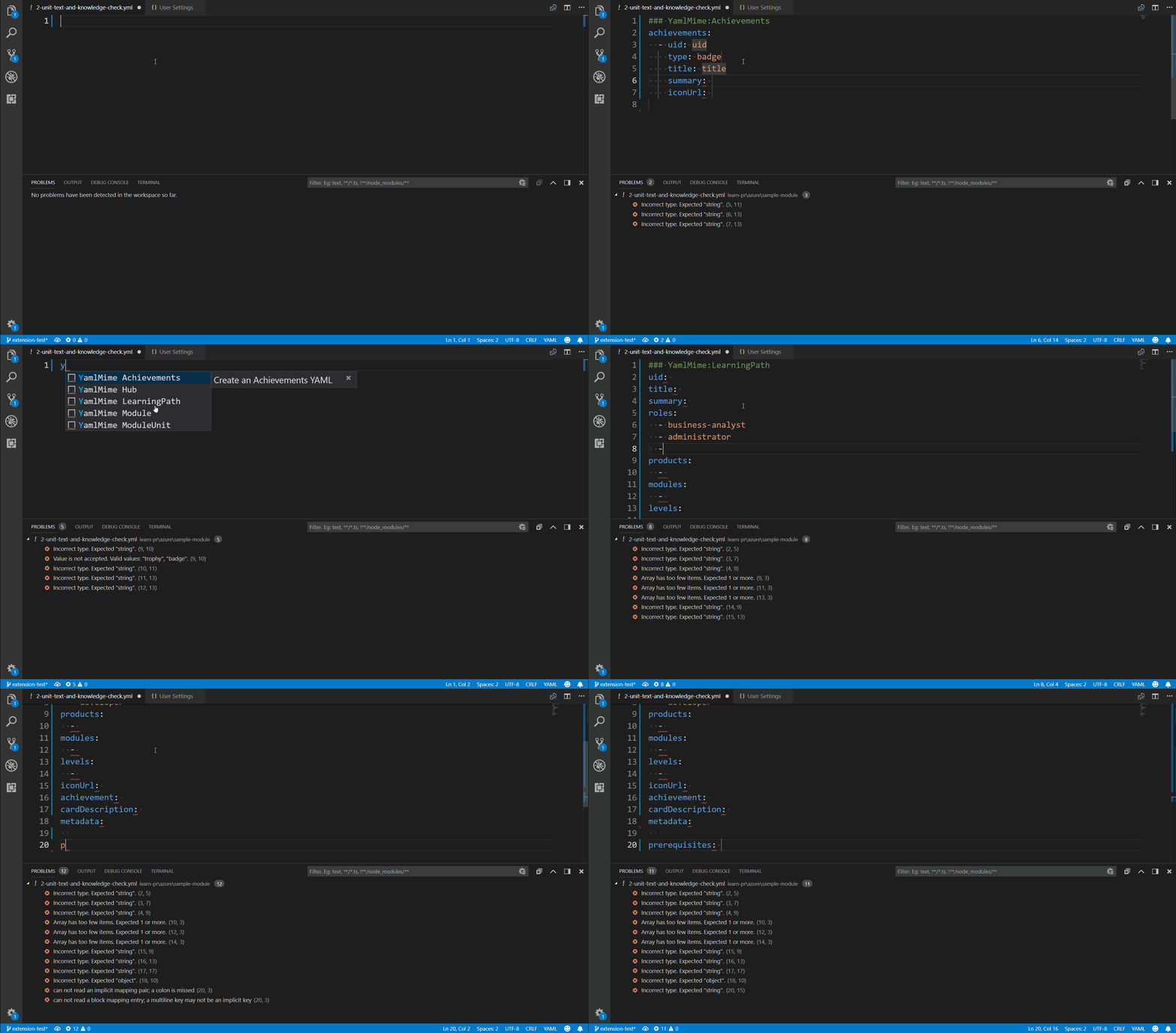
* Generate input template for whole YAML file
> **For now, VS Code doesn't support auto-completion on a comment, so don't type `#` to get intellisense, just type `YamlMime` or YAMLMime type.**
* Generate input template for an object (*if provided by schema*)
> **Including required properties and optional properties with default value**
* Support properties intellisense (*if provided by schema*)
* Enumerated property value recommendation (*if provided by schema*)
> **Intellisense is automatically triggered by what you have typed, but you can also hit *Ctrl + Space* to get what you can type**.
### 3. Hover support
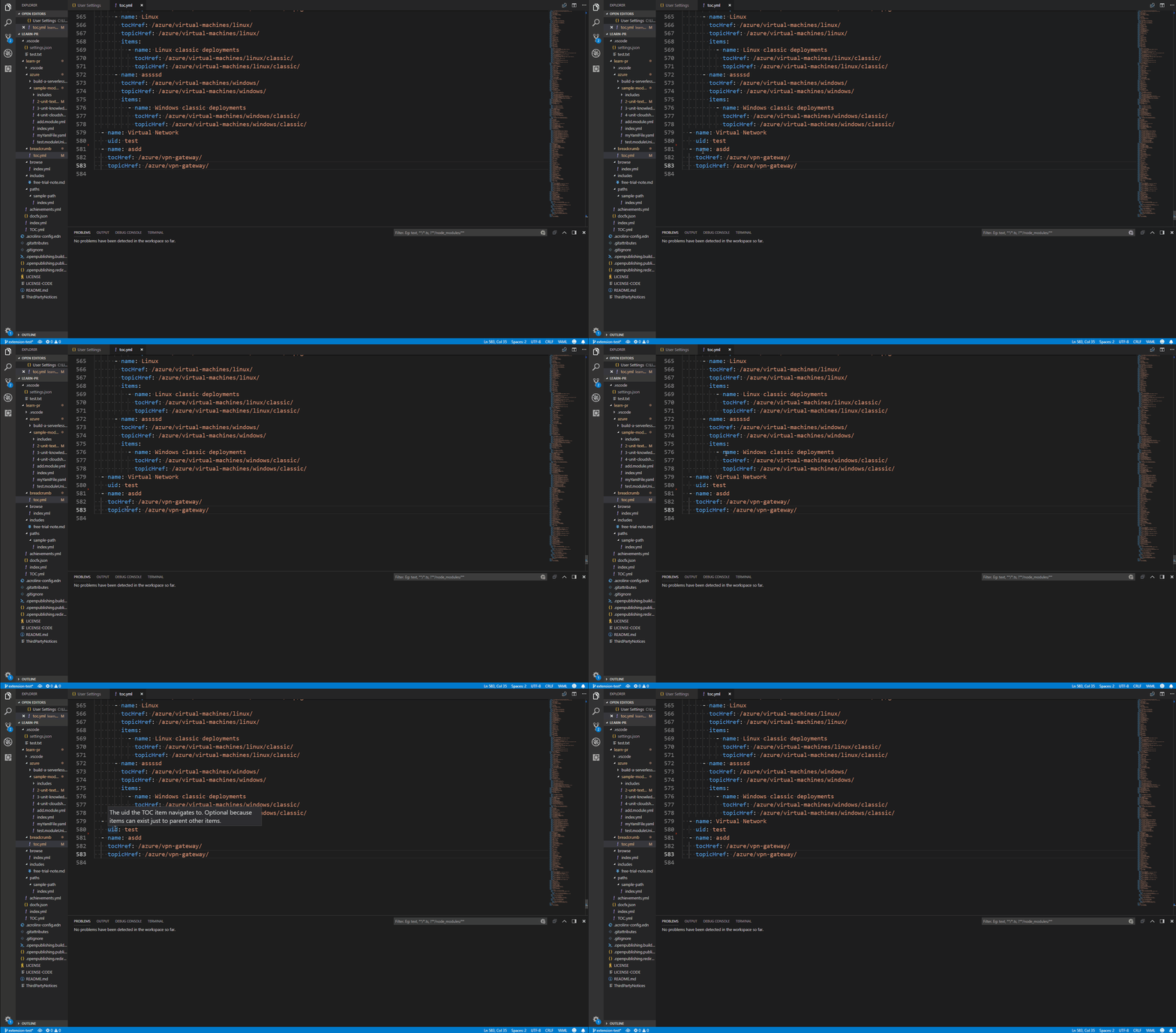
* Hovering over a property shows description (*if provided by schema*)
## Extra knowledge
### **YAMLMime**
A YAML syntax to identify the mime type of this YAML document, which will decide the applied schema type, such as:
```yaml
### YamlMime:Module
....
```
* YAMLMime should be the first line
* There are should be a space between triple `#` and case-sensitive `YamlMime`
* There are should not be extra space between `YamlMime`, Mime-type and `:`
## Developer support
### Developing the client side
1. Install prerequisites:
* latest [Visual Studio Code](https://code.visualstudio.com/)
* [Node.js](https://nodejs.org/) v6.0.0 or higher
2. Fork this repository.
3. Build this project.
```bash
# clone your forked repository
$ git clone https://github.com/{your-github-name}/docs-yaml
$ cd docs-yaml
# install npm dependencies
$ npm install
# compile
$ npm run compile
# open the project in vscode
$ code .
```
4. Make changes as necessary and the run the code using F5.
Refer to VS Code [documentation](https://code.visualstudio.com/docs/extensions/debugging-extensions) on how to run and debug the extension.
5. Create a pull-request to GitHub repository and we will review, merge it and publish new version extension regularly.
### Contributing to schemas and snippets
Coming soon.
## License
[MIT](https://docsmsft.gallerycdn.vsassets.io/extensions/docsmsft/docs-markdown/0.2.2/1547755350969/Microsoft.VisualStudio.Services.Content.License)
**All contributions are welcome!**