A snazzy 💅 buffer line (with tabpage integration) for Neovim built using lua.
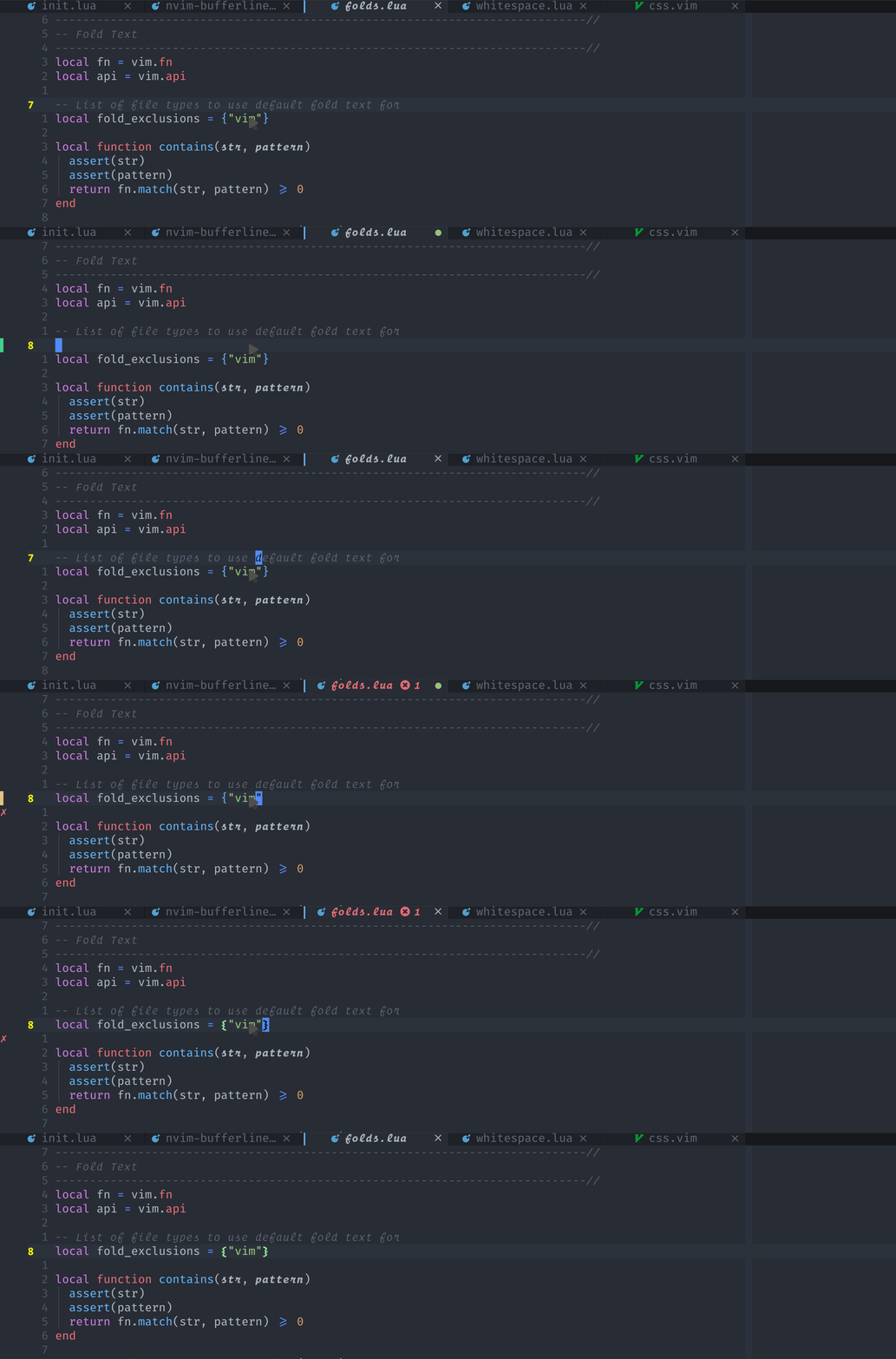 - [Requirements](#requirements) - [Installation](#installation) - [Usage](#usage) - [Configuration](#configuration) - [Features](#features) - [Alternate styling](#alternate-styling) - [Hover events](#hover-events) - [Underline indicator](#underline-indicator) - [Tabpages](#tabpages) - [LSP indicators](#lsp-indicators) - [Groups](#groups) - [Sidebar offsets](#sidebar-offsets) - [Numbers](#numbers) - [Picking](#picking) - [Pinning](#pinning) - [Unique names](#unique-names) - [Close icons](#close-icons) - [Re-ordering](#re-ordering) - [Custom areas](#custom-areas) - [How do I see only buffers per tab?](#how-do-i-see-only-buffers-per-tab) - [Caveats](#caveats) - [FAQ](#faq) This plugin shamelessly attempts to emulate the aesthetics of GUI text editors/Doom Emacs. It was inspired by a screenshot of DOOM Emacs using [centaur tabs](https://github.com/ema2159/centaur-tabs). ## Requirements - Neovim 0.8+ - A patched font (see [nerd fonts](https://github.com/ryanoasis/nerd-fonts)) - A colorscheme (either your custom highlight or a maintained one somewhere) ## Installation It is advised that you specify either the latest tag or a specific tag and bump them manually if you'd prefer to inspect changes before updating. If you'd like to use an older version of the plugin compatible with nvim-0.6.1 and below please change your tag to `tag = "v1.*"` **Lua** ```lua -- using packer.nvim use {'akinsho/bufferline.nvim', tag = "*", requires = 'nvim-tree/nvim-web-devicons'} -- using lazy.nvim {'akinsho/bufferline.nvim', version = "*", dependencies = 'nvim-tree/nvim-web-devicons'} ``` **Vimscript** ```vim Plug 'nvim-tree/nvim-web-devicons' " Recommended (for coloured icons) " Plug 'ryanoasis/vim-devicons' Icons without colours Plug 'akinsho/bufferline.nvim', { 'tag': '*' } ``` ## Usage See the docs for details `:h bufferline.nvim` You need to be using `termguicolors` for this plugin to work, as it reads the hex `gui` color values of various highlight groups. **Vimscript** ```vim " In your init.lua or init.vim set termguicolors lua << EOF require("bufferline").setup{} EOF ``` **Lua** ```lua vim.opt.termguicolors = true require("bufferline").setup{} ``` You can close buffers by clicking the close icon or by _right clicking_ the tab anywhere ## Configuration for more details on how to configure this plugin in details please see `:h bufferline-configuration` ## Features - Colours derived from colorscheme where possible. - Sort buffers by `extension`, `directory` or pass in a custom compare function - Configuration via lua functions for greater customization. #### Alternate styling ##### Slanted tabs  **NOTE**: some terminals require special characters to be padded so set the style to `padded_slant` if the appearance isn't right in your terminal emulator. Please keep in mind though that results may vary depending on your terminal emulator of choice and this style might will not work for all terminals ##### Sloped tabs  see: `:h bufferline-styling` --- #### Hover events **NOTE**: this is _only_ available for >= neovim 0.8+  see `:help bufferline-hover-events` for more information on configuration --- #### Underline indicator **NOTE**: as with the above your mileage will vary based on your terminal emulator. The screenshot above was achieved using kitty nightly (as of August 2022), with increased
underline thickness and an increased underline position so it sits further from the text
---
#### Tabpages
**NOTE**: as with the above your mileage will vary based on your terminal emulator. The screenshot above was achieved using kitty nightly (as of August 2022), with increased
underline thickness and an increased underline position so it sits further from the text
---
#### Tabpages
 This plugin can also be set to show only tabpages. This can be done by setting the `mode` option to `tabs`. This will change the bufferline to a tabline
it has a lot of the same features/styling but not all.
A few things to note are
- Sorting doesn't work yet as that needs to be thought through.
- Grouping doesn't work yet as that also needs to be thought through.
---
#### LSP indicators

By setting `diagnostics = "nvim_lsp" | "coc"` you will get an indicator in the bufferline for a given tab if it has any errors
This will allow you to tell at a glance if a particular buffer has errors.
In order to customise the appearance of the diagnostic count you can pass a custom function in your setup.
This plugin can also be set to show only tabpages. This can be done by setting the `mode` option to `tabs`. This will change the bufferline to a tabline
it has a lot of the same features/styling but not all.
A few things to note are
- Sorting doesn't work yet as that needs to be thought through.
- Grouping doesn't work yet as that also needs to be thought through.
---
#### LSP indicators

By setting `diagnostics = "nvim_lsp" | "coc"` you will get an indicator in the bufferline for a given tab if it has any errors
This will allow you to tell at a glance if a particular buffer has errors.
In order to customise the appearance of the diagnostic count you can pass a custom function in your setup.
 ---
#### Custom areas

see `:help bufferline-custom-areas`
## How do I see only buffers per tab?
This behaviour is _not native in neovim_ there is no internal concept of localised buffers to tabs as
that is not how tabs were designed to work. They were designed to show an arbitrary layout of windows per tab.
You can get this behaviour using [scope.nvim](https://github.com/tiagovla/scope.nvim) with this plugin. Although I believe a better
long-term solution for users who want this functionality is to ask for real native support
for this upstream.
## Caveats
- This won't appeal to everyone's tastes. This plugin is opinionated about how the tabline
looks, it's unlikely to please everyone.
- I want to prevent this becoming a pain to maintain so I'll be conservative about what I add.
- This plugin relies on some basic highlights being set by your colour scheme
i.e. `Normal`, `String`, `TabLineSel` (`WildMenu` as fallback), `Comment`.
It's unlikely to work with all colour schemes. You can either try manually overriding the colours or
manually creating these highlight groups before loading this plugin.
- If the contrast in your colour scheme isn't very high, think an all black colour scheme, some of the highlights of
this plugin won't really work as intended since it depends on darkening things.
## FAQ
- **Why isn't the bufferline appearing?**
The most common reason for this that has come up in various issues is it clashes with
another plugin. Please make sure that you do not have another bufferline plugin installed.
If you are using `airline` make sure you set `let g:airline#extensions#tabline#enabled = 0`.
If you are using `lightline` this also takes over the tabline by default and needs to be deactivated.
If you are on Windows and use the GUI version of nvim (nvim-qt.exe) then also ensure, that `GuiTabline`
is disabled. For this create a file called `ginit.vim` in your nvim config directory and put the line
`GuiTabline 0` in it. Otherwise the QT tabline will overlay any terminal tablines.
- **Doesn't this plugin go against the "vim way"?**
This is much better explained by [buftablines's author](https://github.com/ap/vim-buftabline#why-this-and-not-vim-tabs).
Please read this for a more comprehensive answer to this question. The short answer to this is
buffers represent files in nvim and tabs, a collection of windows (or just one). Vim natively allows visualising tabs i.e. collections
of window, but not just the files that are open. There are _endless_ debates on this topic, but allowing a user to see what files they
have open doesn't go against any clearly stated vim philosophy. It's a text editor and not a religion 🙏.
Obviously this won't appeal to everyone, which isn't really a feasible objective anyway.
---
#### Custom areas

see `:help bufferline-custom-areas`
## How do I see only buffers per tab?
This behaviour is _not native in neovim_ there is no internal concept of localised buffers to tabs as
that is not how tabs were designed to work. They were designed to show an arbitrary layout of windows per tab.
You can get this behaviour using [scope.nvim](https://github.com/tiagovla/scope.nvim) with this plugin. Although I believe a better
long-term solution for users who want this functionality is to ask for real native support
for this upstream.
## Caveats
- This won't appeal to everyone's tastes. This plugin is opinionated about how the tabline
looks, it's unlikely to please everyone.
- I want to prevent this becoming a pain to maintain so I'll be conservative about what I add.
- This plugin relies on some basic highlights being set by your colour scheme
i.e. `Normal`, `String`, `TabLineSel` (`WildMenu` as fallback), `Comment`.
It's unlikely to work with all colour schemes. You can either try manually overriding the colours or
manually creating these highlight groups before loading this plugin.
- If the contrast in your colour scheme isn't very high, think an all black colour scheme, some of the highlights of
this plugin won't really work as intended since it depends on darkening things.
## FAQ
- **Why isn't the bufferline appearing?**
The most common reason for this that has come up in various issues is it clashes with
another plugin. Please make sure that you do not have another bufferline plugin installed.
If you are using `airline` make sure you set `let g:airline#extensions#tabline#enabled = 0`.
If you are using `lightline` this also takes over the tabline by default and needs to be deactivated.
If you are on Windows and use the GUI version of nvim (nvim-qt.exe) then also ensure, that `GuiTabline`
is disabled. For this create a file called `ginit.vim` in your nvim config directory and put the line
`GuiTabline 0` in it. Otherwise the QT tabline will overlay any terminal tablines.
- **Doesn't this plugin go against the "vim way"?**
This is much better explained by [buftablines's author](https://github.com/ap/vim-buftabline#why-this-and-not-vim-tabs).
Please read this for a more comprehensive answer to this question. The short answer to this is
buffers represent files in nvim and tabs, a collection of windows (or just one). Vim natively allows visualising tabs i.e. collections
of window, but not just the files that are open. There are _endless_ debates on this topic, but allowing a user to see what files they
have open doesn't go against any clearly stated vim philosophy. It's a text editor and not a religion 🙏.
Obviously this won't appeal to everyone, which isn't really a feasible objective anyway.