# show_trajectory
**Repository Path**: wangl1259/show_trajectory
## Basic Information
- **Project Name**: show_trajectory
- **Description**: 在ROS上的展示轨迹的demo
- **Primary Language**: Unknown
- **License**: Not specified
- **Default Branch**: master
- **Homepage**: None
- **GVP Project**: No
## Statistics
- **Stars**: 0
- **Forks**: 0
- **Created**: 2021-11-11
- **Last Updated**: 2021-11-15
## Categories & Tags
**Categories**: Uncategorized
**Tags**: None
## README
# Introduction
This repository collected 3 ways to show trajectory of robot in ROS. And I had test them all in indigo.
# How to Run
There are three nodes declared in CMakeLists.txt. You just need to
```
catkin_make
roscore
rosrun rviz rviz
rosrun show_trajectory by_path
or
rosrun show_trajectory by_marker
or
rosrun show_trajectory by_marker_list
```
and then add corresponding display in rviz
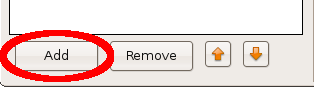
by_path add **Path**
by_marker and by_marker_list add **Marker**
and remember to set `Fixed Frame` to **my_frame**
# Three Ways
## 1. nav_msgs/Path
public a [nav_msgs::Path](http://docs.ros.org/api/nav_msgs/html/msg/Path.html) message which contains an array of geometry_msgs/PoseStamped

## 2. visualization_msgs/Marker
public [visualization_msgs::Marker](http://wiki.ros.org/rviz/Tutorials/Markers%3A%20Basic%20Shapes) and hold them by setting **lifetime** to forever. But remember to update the **id** of Marker to avoid covering previous markers.

## 3. visualization_msgs/Marker list
public [visualization_msgs::Marker's points and lines](http://wiki.ros.org/rviz/Tutorials/Markers%3A%20Points%20and%20Lines) which contains an array of geometry_msgs/Point

Thank you for your star! (grinning)