# hexo-theme-typography
**Repository Path**: yue_plus/hexo-theme-typography
## Basic Information
- **Project Name**: hexo-theme-typography
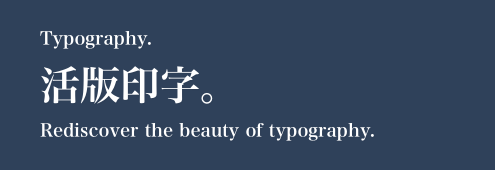
- **Description**: Rediscover the beauty of typography.
- **Primary Language**: JavaScript
- **License**: MIT
- **Default Branch**: master
- **Homepage**: None
- **GVP Project**: No
## Statistics
- **Stars**: 0
- **Forks**: 0
- **Created**: 2020-10-27
- **Last Updated**: 2020-12-19
## Categories & Tags
**Categories**: Uncategorized
**Tags**: None
## README
hexo-theme-Typography
======
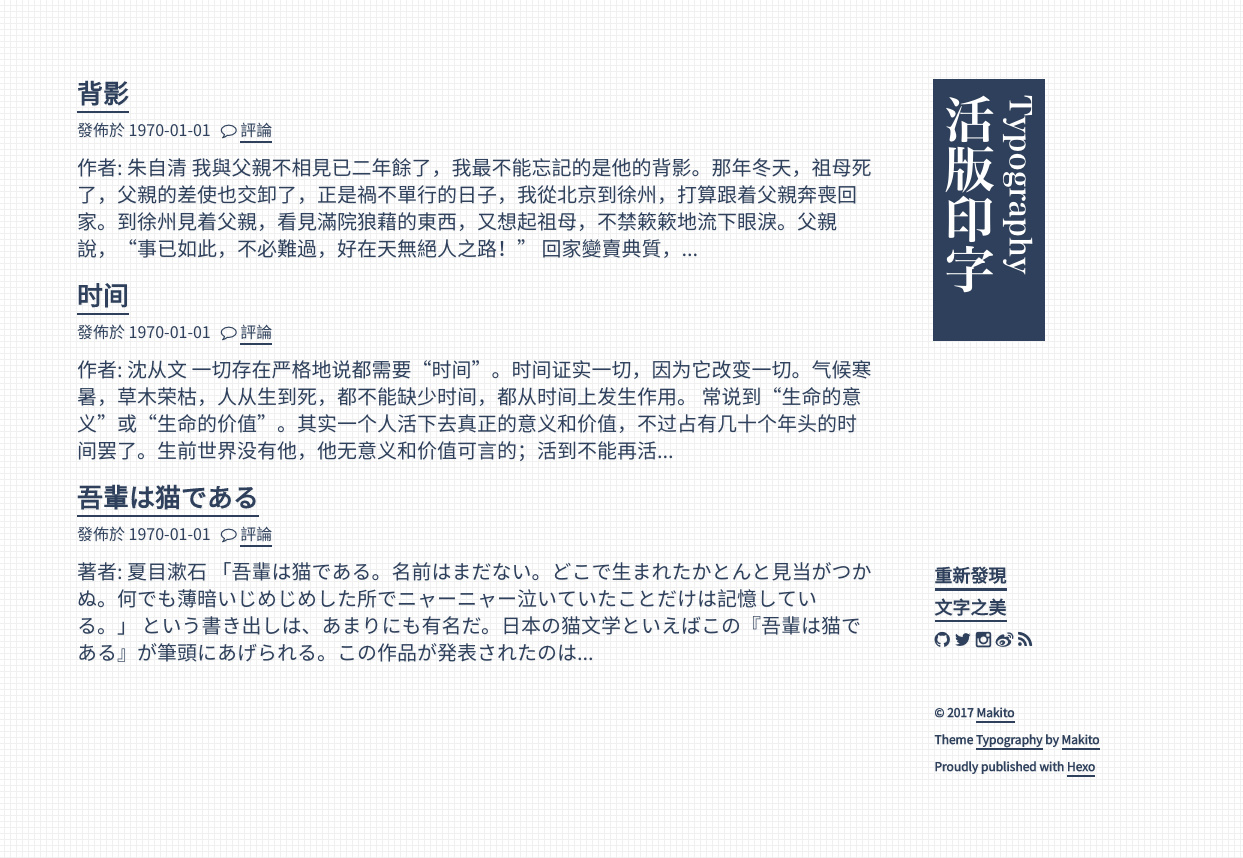
[点击查看演示](https://yueplus.ink)
[Click here to read English documentation](https://github.com/SumiMakito/hexo-theme-typography/blob/master/README.md)
## 安装
### 依赖项
请仔细阅读,再根据需要复制以下代码。
```bash
cd hexo # 进入 Hexo 博客根目录
```
#### Yarn 用户
```bash
yarn remove hexo-generator-category # 此处我们使用 hexo-generator-category-enhance
yarn add hexo-renderer-jade hexo-generator-archive hexo-generator-category-enhance hexo-generator-feed hexo-generator-tag
yarn add hexo-prism-plugin # 语法高亮支持
```
#### Npm 用户
```bash
npm uninstall --save hexo-generator-category # 此处我们使用 hexo-generator-category-enhance
npm install --save hexo-renderer-jade hexo-generator-archive hexo-generator-category-enhance hexo-generator-feed hexo-generator-tag
npm install --save hexo-prism-plugin # 语法高亮支持
```
### 安装主题
```bash
git clone https://github.com/SumiMakito/hexo-theme-typography themes/typography
cd themes/typography
npm install
yarn install # yarn 用户
```
### 修改配置文件
请对博客根目录下的主配置文件 *_config.yml* 进行响应的改动。
```yaml
theme: typography
highlight:
enable: false # we will use the prism plugin instead
plugin:
- hexo-generator-category-enhance
- hexo-generator-feed
- hexo-asset-image
- hexo-prism-plugin
- hexo-toc
# ... other plugins you'd like to enable
# Generate archive page
archive_generator:
per_page: 0
# Generate categories index page and each category page
category_generator:
per_page: 10
enable_index_page: true
# Generate tags index page and each tag page
tag_generator:
per_page: 10
enable_index_page: true
# Generator atom feed for you website
feed:
type: atom
path: atom.xml
limit: 20
hub:
content:
content_limit: 140
content_limit_delim: ' '
# For syntax highlighting
prism_plugin:
mode: 'preprocess'
theme: 'default'
line_number: true
# 在页脚显示ICP备案号,不显示留空。
icp:
```
## 更新
```bash
cd themes/typography
git pull
# npm run scss-compile 已弃用
npm run build
yarn run build # yarn 用户
```
> 如果你使用 `git` 管理整个博客,更新时可能会遇到 `modified: themes/typography` 错误。解决方案是从 GitHub 直接下载最新的 ZIP 压缩包并解压,而不是使用 `git pull`。
## 定制
「活版印字」主题整合了几个方便好用的功能,因此你可以使用主题目录下的 `_config.yml` 来随时进行定制。
### 设置标题的正确姿势很重要
「活版印字」主题提供了三个标题,它们分别是:`title`、`title_primary` 和 `title_secondary`。`title` 存在于 Hexo 根目录下的 `_config.yml` 中,而 `title_primary` 和 `title_secondary` 存在于主题目录下的 `_config.yml` 中。
- `title` 将出现在所有 HTML 页的标题中(``)。
- `title_primary` 为显示在网页中字号较大的标题(主标题)。
- `title_secondary ` 为显示在网页中字号较小的标题(副标题)。
### 修订翻译
提供本地化支持的翻译文件存储在 `themes/typography/languages` 中,你可以根据需要修改或是新增新的语言。
### 自动截取
修改配置中的 `truncate_len` 可以调整截取小结的长度。
例如:`truncate_len: 160`
### 改变配色方案
配置文件中的 `themeStyle` 项将控制配色方案。
目前有以下两种可用的配色方案:
- light
- dark
例如:`themeStyle: light`
### 设置评论服务
评论系统在与读者互动时显得尤为重要,「活版印字」主题也整合了多个第三方评论服务,只需要设置好各平台提供的 ID 便可使用。
目前支持 [Disqus](https://disqus.com/) 以及 [LiveRe](https://livere.com/) 提供的评论服务。
例如:`disqus: disqus_shortname` **或** `livere: livere_data_uid`
> 为了防止出现多个评论框,请留空不使用的评论服务。
### 显示/隐藏分页按钮
例如:`showPageCount: true`
### 显示/隐藏文章标签及归档
例如:
``` yaml
showCategories: true
showTag: true
```
### 设置网页图标(Favicon)
将 `favicon.png` 放置于 `themes/typography/source/images/favicon.png` 目录下即可。
### 在博客中整合 Google Analytics
在 `themes/typography/source/js/google-analytics.js` 中找到一下行:
`ga('create', 'UA-73442912-1', 'auto');`
并将 `UA-73442912-1` 替换为你的 ID 即可。
### 便于搜索引擎优化(SEO)的可选文章描述
「活版印字」主题也整合了便于搜索引擎优化(SEO)的功能,你可以自定义要插入到博文 `<meta>` 区域的描述,以便于搜索引擎爬取。
启用这个功能十分简单,你只需要在欲启用本功能的博文头部加上一行 `desc:` 即可。
例如:
```yaml
title: Another post
date: 1970-01-01 00:00
desc: Description to be inserted into the metadata of the post page.
---
```
则生成的 HTML 中将会包含:
```html
<meta name="description" content="Description to be inserted into the metadata of the post page.">
```
> 如果博文没有 `desc` 选项,则正文截取后的小结将作为文章描述使用。
### 社交账号图标
「活版印字」主题支持以下社交账号:
- E-mail
- Steam
- bilibili
- Twitter
- GitHub
- Instagram
- Sina Weibo
点亮这些图标十分简单,你只需要为它们设置好 ID 即可,图标的链接会自动生成。
```yaml
email: 邮箱地址
steam: steam用户名
bilibili: bilibili UID
twitter: user_name
weibo: user_id/permanent_name
instagram: user_name
github: user_name
```
> 不需要使用的图标留空即可禁用。
## 深入定制
> 请编辑 *scss* 文件而不是 *css* 文件,进行调试时建议使用 `npm run watch`(或 `yarn run watch`)来对编辑后的 *scss* 文件进行自动编译,但请注意,`npm run watch` 不带有 Auto-prefixer 功能,建议在正式部署网站前运行带有 CSS 压缩及 Auto-prefixer 的 `npm run build`(或 `yarn run build`)以提高访问体验。
「活版印字」主题使用 `node-sass` 和 `scss-compile` 来生成 `.css` 文件。我们也在里面留下了一些可定制的内容(如颜色和字体列表)。编辑结束时**不要忘记**运行以下命令来重新生成 `.css` 文件:
```bash
cd themes/typography
npm run build
yarn run build # yarn 用户
```
> `.scss` 文件在 `theme/typography/raw/scss` 目录下。
## 更深入定制
所有的 `.jade` 模板都在 `theme/typography/layout` 目录下,怎么编辑和处置随你喜欢啦。
## 贡献者
- [Makito](https://github.com/SumiMakito)
- [pmtao](https://github.com/pmtao)
## 支持开发者
咱是一个没有过多收入的学生开发者。
如果你喜欢我的主题,欢迎赞助我一杯焦糖玛奇朵,谢谢你。`_(:з」∠)_`
<img width="300" src="https://raw.githubusercontent.com/SumiMakito/Misc/master/wechat-2.png" alt="WeChat QR code">
<img width="240" src="https://raw.githubusercontent.com/SumiMakito/Misc/master/alipay-2.jpg" alt="Alipay QR code">
> WeChat 和 支付宝 都可以哦
## 许可协议
© 2017-2018 Makito
「活版印字」主题遵循 MIT 许可协议分发。